1
Chapter 1 Overview....................................................................5
Introduction............................................................................................................... 5
About this manual ................................................................................................. 5
Associated documents........................................................................................... 5
About Ziris Screen Cutter ......................................................................................... 6
Chapter 2 Getting started ............................................................8
Introduction............................................................................................................... 8
PC Requirements .................................................................................................. 8
Preparing your PC for installation ............................................................................ 8
Turn Off User Account Control (UAC)................................................................ 8
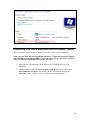
Installing Java ......................................................................................................... 10
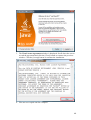
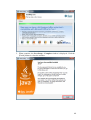
Installing the Java Runtime Environment (JRE) ................................................ 11
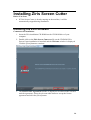
Installing Ziris Screen Cutter .................................................................................. 14
Installing the Ziris software ................................................................................ 14
Optimising Ziris Screen Cutter ............................................................................... 18
Changing the default memory settings ............................................................... 18
Optional configuration ........................................................................................ 18
Starting Ziris Screen Cutter .................................................................................... 19
Starting the application ....................................................................................... 19
Exiting the application ........................................................................................ 20
Uninstalling Ziris Screen Cutter ............................................................................. 21
Chapter 3 Graphical User Interface ..........................................22
Introduction............................................................................................................. 22
GUI Windows ..................................................................................................... 22
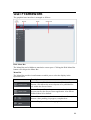
GUI Framework ...................................................................................................... 23
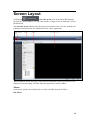
Screen Layout ......................................................................................................... 25
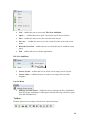
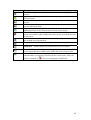
Screen Layout Area............................................................................................. 28
Screen Cutter........................................................................................................... 38
Screen Cutter Area.............................................................................................. 40
Jobs ......................................................................................................................... 46
Jobs Area............................................................................................................. 48
About....................................................................................................................... 51
Chapter 4 Using Ziris Screen Cutter.........................................52
Introduction............................................................................................................. 52
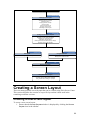
Ziris Screen Cutter Workflow................................................................................. 52
Creating a Screen Layout........................................................................................ 53
Creating a new screen layout .............................................................................. 53
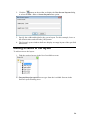
Adding screens to the layout............................................................................... 54
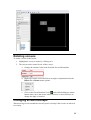
Rotating screens .................................................................................................. 55
Changing screen overlaps ................................................................................... 55
Centre screens ..................................................................................................... 56
Trim screen layout to fit...................................................................................... 57
Saving screen layout ........................................................................................... 57
Publishing a screen layout .................................................................................. 58
Creating a Screen Cutter Template ......................................................................... 59
Creating a new screen cutter template ................................................................ 59
Selecting a screen layout and folders.................................................................. 59
Previewing an image sequence ........................................................................... 60
Adjusting in and out points ................................................................................. 60