1
10. Message Import
It is good for some companies locate its branch office that installs proximity reader in the suburbs that there
is no Ethernet area. We can take notebook to receive daily message to here in regular time. Because
parent company also installs proximity reader, it will also generate daily message every day in the path
C:\Program Files\701 Server. Daily message file of branch office (hereinafter referred to as B) cover daily
message file of parent office (hereinafter referred to as A) in order to avoid import message. We need to
open one folder for “B” in advance in the “A” path C:\Program Files\701 Server
For example, we put “B” 20021001.msg, 20021002.msg and 20021003.msg to the folder named branch
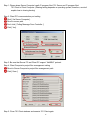
office. Then we import these messages one by one via Message Import under the Setting menu item.
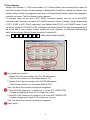
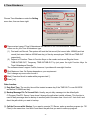
The steps as follows:
Click “Branch office folder”.
Click the message that would like to import one by one.
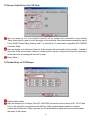
Click “Open ”, then message is import immediately to the file 20021001.msg of parent company to
combine one file.
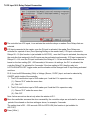
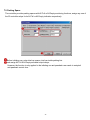
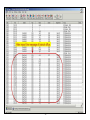
The difference between before import and after import shown as follows:
33