1
For DOS: Version 7.05 only.
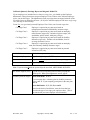
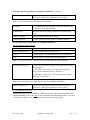
At LOAD TAX FILE?, type Y.
Important. If you previously used the Load Tax Utility, the system will automatically display the
Device Type, Source Directory and Destination Directory names you last entered.
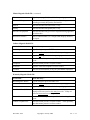
At DEVICE TYPE, the default is D. If you are loading the update from a Directory, press
ENTER. Otherwise, type the letter that indicates your system's device type.
F = floppy
C = CD
L = load command.
Note: If you entered D or L at DEVICE TYPE, go to the SOURCE DIRECTORY field. If you
entered F or C, the SOURCE DRIVE field will be displayed.
At SOURCE DIRECTORY, the default directory is displayed. If you need to change this
directory, enter the new directory path, then press ENTER.
At SOURCE DRIVE, the default is A. If you are loading the diskette from floppy drive A, press
ENTER. If you are loading it from another floppy drive or CD, such as B, C, D, E or F, type the
letter that identifies that drive, then press ENTER.
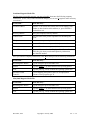
At DESTINATION DIRECTORY, the default directory is displayed. If you need to change this
directory, enter the new directory path, then press ENTER.
After you verify your entries and type Y at DATA OK?, the system may display a message line to
indicate that it is loading data. When the tax file is loaded, the system clears the screen and
returns to Exit on the Load tax File Menu Bar.
For SCO UNIX, AIX and LINUX only.
Important. If you received your tax update on a CD, you must use one of the following mount
commands to make the CD loadable on your SCO UNIX, AIX or Linux system.
For SCO or AIX: mount /dev/cd0 /mnt.
For Linux: mount /dev/cdrom /mnt .
At LOAD TAX FILE?, type Y.
Important. If you previously used the Load Tax Utility, the system will automatically display the
Devise Type, Load Command and Destination Directory you last entered.
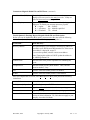
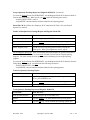
At LOAD COMMAND, the default load command is displayed. If this is the correct command for
your computer system, press ENTER.
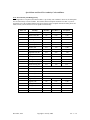
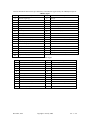
If the displayed load command does not work, you can choose another one from the following list.
December, 2014
Copyright © 2014 by ABS
Ver. 7—3