1
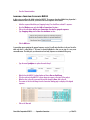
Note that if you rerun any of the existing results and the runs complete, you will lose the originals. If some time
has passed since you last ran a search and you suspect new data may have been added to the databases you
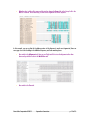
searched against, add a new channel and just search using that channel, then use the Schematic view to compare
the results.
RESTORED RESULTS
If your sessions have earlier search results associated with them, those results are restored when those sessions
are reopened. Any previous green Done statuses will have gray Done statuses.
Likewise, if your sessions have earlier search results associated with them and you choose to run another query,
then cancel that request before the query is complete, your earlier saved results are also restored.
DELETING SESSIONS
If you have accidentally added sessions or no longer need sessions, you can remove them from your project.
•
•
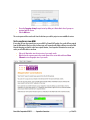
Go to the Window menu and choose Delete Existing Connections Session…
In the Delete Session(s) dialog, select the session or sessions you wish to delete and click on the
Delete Selected Session(s) button. You will be prompted to Cancel or Continue.
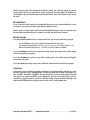
If you select Continue and you have any open and/or running sessions, your running sessions will be stopped,
closed, and removed from your project.
If you select Continue and you have no open and/or running sessions, your selected sessions will simply be
removed from your project.
If you select Cancel, any running or open sessions will remain so and will not be removed from your project.
CONCLUSION
In this tutorial, you have worked with Sequencher Connections. You have learned how to add data to a session
and how to give your session a meaningful name. You have also learned how to change session options. You
have used BLAST, Primer-BLAST, and MUSCLE. You have learned how to view your results using the Schematic
view and you have viewed your MUSCLE results as phylograms. You have also learned that your results are
saved with your project and can be reviewed at a later time. Finally you have learned that although results
expire from the NCBI website you can always view your results in the Text and Schematic views.
Gene Codes Corporation ©2015
Sequencher Connections
p. 15 of 15