1
Sequencher Connections
Sequencher Connections is a whole new way of performing multiple analyses on multiple sequences in parallel.
This saves you time and gives you the opportunity to look at your data using different settings or parameters.
Sequencher Connections, at the time of writing, allows you to use BLAST, Primer-BLAST, and Local-BLAST (if you
have installed them) on individual sequences and MUSCLE on a group of related sequences. For these reasons we
differentiate between individual and group or grouped data when talking about Connections. Not only can you
view your BLAST, Primer-BLAST, Local-BLAST, or MUSCLE results at the time you performed the analysis, but you
can also review your results later on since they are saved with your project. This tutorial covers working with
sessions with BLAST, Primer-BLAST, and MUSCLE. For information on working with Local-BLAST in Connections,
please refer to the Sequencher Connections chapter of the Sequencher User Manual or to the Local-BLAST tutorial.
ABOUT DATA SOURCES, SESSIONS, AND CHANNELS
A data source in the context of Sequencher Connections is a Sequencher project containing reads and contigs. A
session is a coordinated set of data and analyses that operate on that data. A channel is an analysis such as
MUSCLE or service such as BLAST. We will be using these terms throughout the tutorial.
GETTING STARTED
In this tutorial, you will learn how to use Sequencher Connections, how to create a session, how to name your
session and change its channel options. You will also learn how to review a session that you created previously.
•
•
•
•
•
•
Launch Sequencher.
Go to the File menu and select Import > Sequencher Project…
Navigate to the Sample Data folder inside the Sequencher application folder.
Choose the Sequencher Connections project and select the Open button.
Select File > Save Project and enter a name of Sequencher Connections and a location of your
Desktop or Documents folder and select the Save button.
Click on the Label column header in the Project Window to sort the project items by Label. This will
make it easier to locate sequences later in the tutorial.
This project contains a set of fish mitochondrial sub-sequences. During the course of the tutorial, you will find out
exactly what these sequences represent. These sequences will be analysed using BLAST. In the second part of the
tutorial, you will analyse the sequences with Primer-BLAST and in part three, you will analyse the sequences with
MUSCLE. There are also smaller sections on Restored Results and Deleting Sessions.
LAUNCHING A CONNECTIONS SESSION WITH BLAST
In this session you will use the default settings for BLAST. The sequences have been labeled using Sequencher’s
Label command to make it easier for you to choose the correct sequences in this tutorial.
•
•
•
•
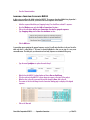
Select only the sequences labeled in blue (Tilapia). You should have selected 4 sequences.
Go to the Window menu and select Add to Connections Session…
Click on the radio button Add to new Connections Session for individual sequences.
Type Tilapia in the New Session Name text box.
Gene Codes Corporation ©2015
Sequencher Connections
p. 3 of 15