1
Rorke Data
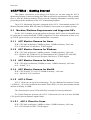
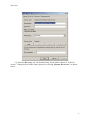
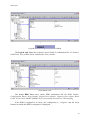
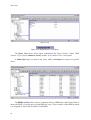
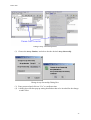
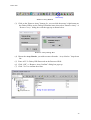
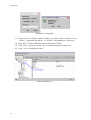
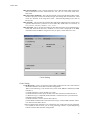
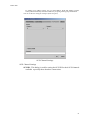
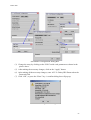
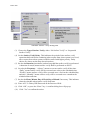
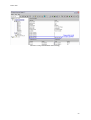
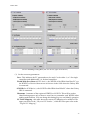
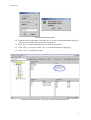
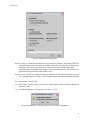
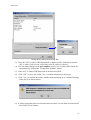
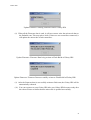
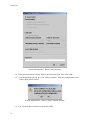
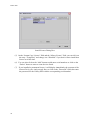
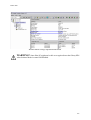
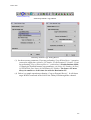
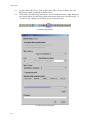
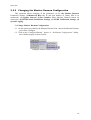
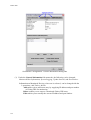
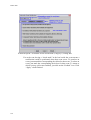
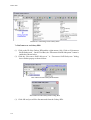
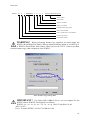
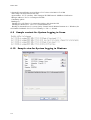
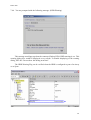
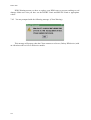
Schedule Surface Verify Dialog Box
(3) Choose the Type of Surface Verify, either “No Surface Verify” or “Sequential
Surface Verify.”
(4) Set the Surface Verify Delay. This indicates the period of time surface verify
operation shall wait before continuing when request from a host system is received,
since request from a host system would be treated with higher priority. Delay
choices are shown on the drop-down lost above.
(5) Set also the Duration (in minutes) on how long shall the surface verify be performed.
A duration of zero(0) means surface verify shall be performed on all LU.
(6) Set also the Frequency. “Always” means to execute surface verify all the time.
“Daily” means surface verify will be executed once a day at the scheduled time.
“Weekly” means surface verify will be executed once a week at the scheduled day
and time. “Monthly” means surface verify will be executed once a month at the
scheduled date and time.
(7) Set also the Hour, Minute, Day of Week, Day of Month if necessary. This indicates
when the schedule when surface verify shall start.
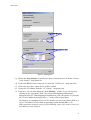
(8) Enter AVC-L Galaxy HDi Password on the Password field.
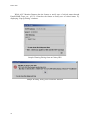
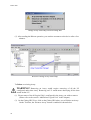
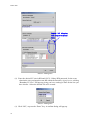
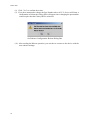
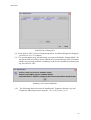
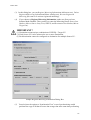
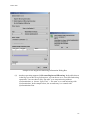
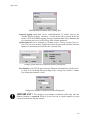
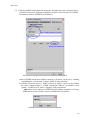
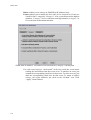
(9) Click “OK”, or press the “Enter” key. A confirm dialog box will pop up.
(10) Click “Yes” to confirm the action.
68