1
Contents
Introduction...........................................................1
Welcome to Rain Bird.....................................................1
The Intelligent Use of Water.................................................. 1
ESP-SMT Smart Modular Control System...................1
Features and Benefits............................................................. 2
Controls, Switches and Indicators..........................5
Controller Panel Features..............................................5
Weather Sensor Features..............................................6
Set Current Date & Time.........................................7
Set Month.................................................................................. 7
Set Day of Month..................................................................... 7
Set Year....................................................................................... 7
Set Hour..................................................................................... 7
Set Minutes............................................................................... 8
Review Current Date & Time................................................. 8
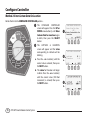
Configure Controller..............................................9
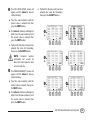
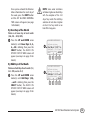
Method 1: Select Location by Zip Code......................9
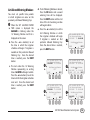
Method 2: Enter Custom Data for Location............ 11
Enter Allowed Water Days.......................................... 13
No Restrictions.......................................................................13
By Days of the Week..............................................................13
By Even Days of the Month.................................................14
By Odd Days of the Month..................................................14
Cyclical......................................................................................15
Block One Day A Week..........................................................15
Set Allowed Watering Windows................................ 16
Input Zone Information........................................19
Method 1: Zone Setup Wizard................................... 19
Select Specific Zone Number..............................................19
Turn Zone to ENABLE status................................................19
Enter Soil Type........................................................................20
Select Sprinkler Type Method.............................................21
Select Time-Based Method.................................................24
Cycle/Soak...............................................................................25
Select Plant Type Method - Grass Lawns.........................26
Select Plant Type Method - Non-Grass Lawns................27
Select Plant Water Needs - (Non-Grass Plant Types).....27
Custom Plant Factor Method..............................................28
Enter Plant Density................................................................28
Enter Shade Factor................................................................29
Enter Plant Maturity - (Established Method)..................29
Enter Plant Maturity - (Newly Planted Method).............29
Review Zone Information ...................................................30
Method 2: Copy Zone to Zone(s).............................. 32
Special Features...................................................34
Event Days Off........................................................................34
Short Circuit Test....................................................................35
Advanced Controller Setup.................................................36
Advanced Zone Setup..........................................................37
Save Settings to “Contractor Default” Program..............38
Set Units...................................................................................39
Fine Tune Watering By Zone.................................40
ESP-SMT Smart Modular Control System
-III-