1
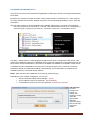
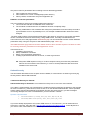
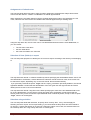
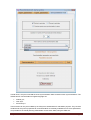
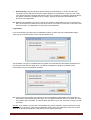
Two options are then offered :
1. choose an Activity among the existing ones an use default one if Outlook category does not fit
one, or
2. Automatically create any non existing model-icon to reflect all Outlook categories choices.
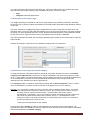
This is the typical example of setup when the users are identified by the lines of the planner
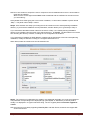
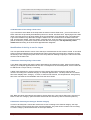
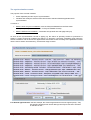
The choice between creating or not, is made possible thanks to a checkbox named ‘Automatic creation of
new VP activities…’
1. If the checkbox is selected, VPsynchro dynamically creates model-icons, when not yet existing
each time the choice of the Outlook appointment category implies it
2. If the checkbox is NOT selected, the default model-icon will be used in case no existing iconmodel fit the Outlook appointment category. (et non pas comme modèle pour une nouvelle
icône-modèle).
The default icon-model is used in the first case as a model for its default time attributes values, form,
attachments and other VP attributes. In the second case, all of its attributes will be associated to the
created events, especially its name and category.
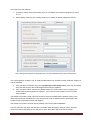
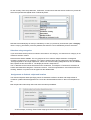
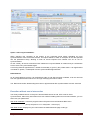
The default icon-model is choosen among existing ones into the planner database.
The first of the two drop-down lists below the checkbox allow identifying it using its name, while the
second one allows specifying the VP category to use in association with it for events creation.
VPsynchro – Outlook 2.6
Page 21