1
Installing and Configuring Internet Services
Configuring Internet Addresses
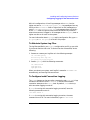
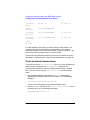
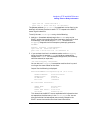
host to your /etc/hosts file.
If you have no default gateway configured, and you add a host that is
not on your subnet, SAM will prompt you for the gateway. To stop the
prompting, configure a default gateway.
6. If you are not using SAM, you must configure a gateway for each host
that is not on your subnet. See “To Configure Routes” on page 36.
7. Make sure the /etc/hosts file is owned by user root and group
other, and make sure the permissions are set to 0444 (-r--r--r--).
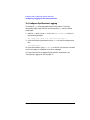
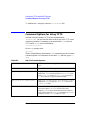
To Configure Routes
1. If you use only one gateway to reach all systems on other parts of the
network, configure a default gateway.
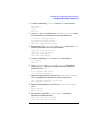
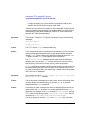
You can use SAM to configure a default gateway, or if you are not
using SAM, issue the following command:
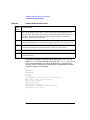
/usr/sbin/route add default gateway_address 1
where gateway_address is the IP address of the gateway host.
Then, set the following environment variables in the
/etc/rc.config.d/netconf file:
ROUTE_DESTINATION[0]="default"
ROUTE_GATEWAY[0]="gateway_address"
ROUTE_COUNT[0]="1"
If the default gateway is your own host, set the ROUTE_COUNT variable
to 0. Otherwise, set it to 1.
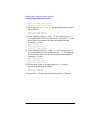
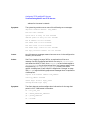
2. If your host is a gateway, configure the destination networks that can
be reached from its network interfaces. Issue the following command
for each network interface on your host:
/usr/sbin/route add net destination IP_address
where destination is a network address reachable by your host, and
IP_address is the address of the network interface.
Then, create a new set of routing variables in the
/etc/rc.config.d/netconf file for each network interface.
Whenever you create a new set of variables, increment the number in
square brackets, as in the following example:
ROUTE_DESTINATION[1]="15.13.131.0"
36
Chapter 2