1
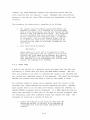
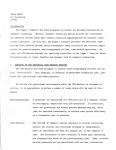
The Y-axis offset operation is specified as follows:
1.
Locate one cursor at the point on the curve to be the
zero value.
The other cursor can not be associated
with the file to be offset.
(Use an ASSIGN CURSORS
corrunand if necessary.)
2.
Issue the command in the form
OFFY;alpha
where alpha is T or B, whichever file is to be moved.
Press RETURN.
The calculation is performed and the
result displayed on the scope.
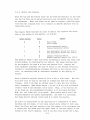
All scope displays are relative to a pair of normalization constants.
Associated with each display is a pair of MAX-MIN values either preset
(default easel or obtained from the normalization routine (NORM) .
This
pair of MAX-MIN values is used to calculate the normalization constants.
Thus, if a data file is changed and not NORMalized, it will then be
displayed using the last calculated normalization constants.
This factor
should be remembered particularly when using the OFFY command.
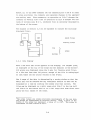
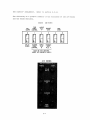
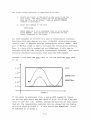
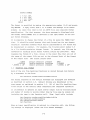
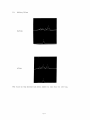
Consider a file whose MAX data value is 1.25 and whose MIN data value
is . 25.
SCOPE
1. 25
1. 00
BEFORE OFFY
0.75
a.so
R
0.25
FIGURE 1
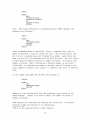
If the cursor is positioned at pt. a and an OFFY command is issued,
the new file will have a MAX data value of (1.25-.5)=.75 and a MIN data
value of (.25-.5)= -.25.
However, because the data has not been normal-
ized yet, the normalization constants have not changed and the display
will be as shown in figure 1.
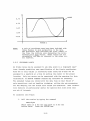
If this data is now NORMalized, it will
be displayed as in figure 2.
2-14