1
6.6.3.2 EUI64
Every device in a G3 network needs a unique EUI64 to be identified.
This EUI64 (or extended address) is stored in the variable CONF_EXTENDED_ADDRESS, which has
a default value, the same for every device, so a mechanism to ensure that different devices take different
EUI64s is required.
Mechanism to store expected sequence and EUI64 in flash memory is not provided, as it is expected to
be done when flashing the device.
For more information about EUI64 initialization see doc43081.
6.6.4
Running the PLC application example 4
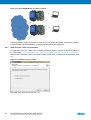
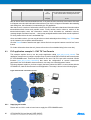
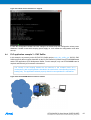
For this example, the boards are plugged into the same power line. One board is the Coordinator and
the other one is the Device. Users have to execute an instance of the serial interface tool – which has
been previously installed to the host PC – in order to enable communication with Coordinator board.
For this example a serial interface tool is required. HyperTerminal is not installed on Windows 7. You can use
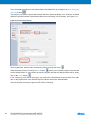
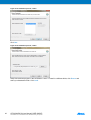
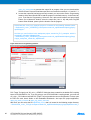
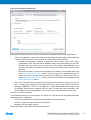
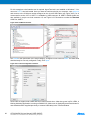
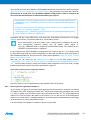
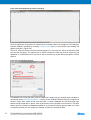
a PuTTY terminal instead. Once you have the serial terminal in your computer, open putty.exe and connect
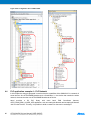
to the COM port number assigned to the micro-B USB cable (see Figure 6-70). As is commented in section
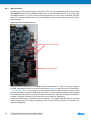
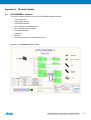
3.5.6.4, UART 1 is available by USB connector J9. UART1 CMOS signals are also available in a triple row
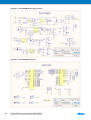
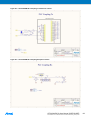
male connector J16, see Figure A-8. Remember to select the Standard COM Port, UART1.
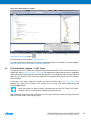
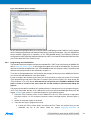
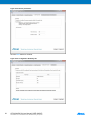
Figure 6-70. COM Port selection.
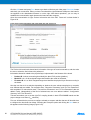
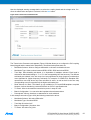
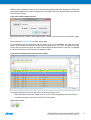
Set 921600 in the Speed field. In the Serial Category, change the Flow Control to None. The other fields
should already be correctly configured. Finally, click Open.
ATPL250A-EK Kit User Manual [USER GUIDE]
Atmel-43083C-ATPL-ATPL250A-EK-Kit-User-Manual-UserGuide_24-Sep-2015
83 8
3