1
User's manual
CD Remote for K&F CD 24 / CD 44
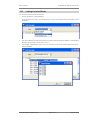
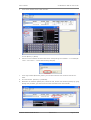
10. Then you must load the Scenario at [Scenario] -> [LoadFromFile] in the real controller. You have
now transferred the Scenario that you have virtually created to the real controller.
Please�note�that�from�now�on,�any�settings�that�you�edit�on�the�real�or�virtual�controller�are
not�automatically�transferred.�If�you�change�the�real�controller,�you�must�save�these�changes
and�load�them�in�the�virtual�controller.�If�you�edit�the�virtual�controller,�you�must�also�save
these�changes�in�order�to�load�them�in�the�real�controller.
18. Updating�the�CD�Remote�Software
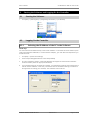
Load the latest version of the software from the download area of the Kling & Freitag website
(www.kling-freitag.de).
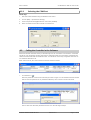
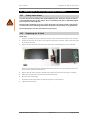
Copy the file [CD Remote Installer Vx-xx.zip] onto your PC. Unzip the file and double click [CD Remote
Installer VX-XX.exe] . The setup programme provides for the de-installation of the previous version.
You can choose if you want to repair or uninstall the existing installation.
After this, open the file [CD Remote Installer VX-XX.exe] again and follow the installation instructions
on the PC monitor.
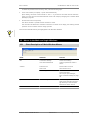
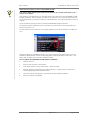
Passwords will be reset to the default passwords after updating the software.
•
After updating the software the user-mode password is user.
•
After updating the software the master-mode password is master.
We recommend that the owner of the controller changes the user and master passwords before others use it. This ensures that no settings are made by unauthorised persons, which could result in the
malfunction or damage of speakers.
See Chapter [Passwords and Access Rights] on page 14.
A CD44 with extended memory is only compatible with a CD Remote Software whose version is higher than 1.4.3!
KLING & FREITAG GMBH © 2010
Revision 4.0
Page 48 of 55