1
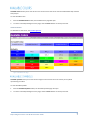
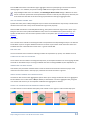
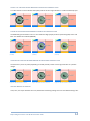
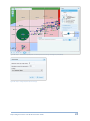
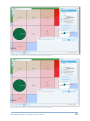
The Point clusters plugin while exposing a minimal set of configuration properties (layer, distance and threshold) offers a way for the expert Server Administrator or programmer to control the classification and styling of cluster symbols. It does that by relying on some properties expected to be found in the cluster.properties properties file, found in mapIntelligence\WEB-INF\properties. The most important of these follow with their default values: cluster.break.values=10,100,1000 cluster.symbol.sizes=20,30,40 cluster.symbol.colors=0x4169E1,0xFFB90F,0xFF0000 The first one allows specifying the class breaks, the second the symbol sizes (circle diameter) and the third the symbol fill colours. If values other than the defaults are to be used the following constraints are checked: all 3 lists must have the same number of elements; the minimum number of elements is 2; and the class break values must be positive, in ascending order with the lowest greater than or equal to 5. if any of these conditions is violated the default values are used instead. Examples The values used in Figure 38. Point clusters - Example 1. are: cluster.break.values=25,200 cluster.symbol.sizes=20,30 cluster.symbol.colors=0x00FF00,0xFF0000 Figure 38. Point clusters - Example 1. Map Intelligence Server Tools & Administration Guide 21