1
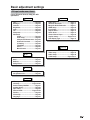
Basic adjustment settings
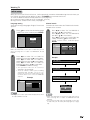
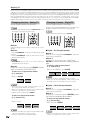
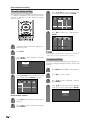
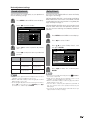
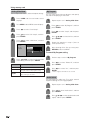
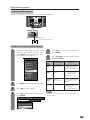
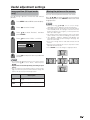
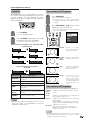
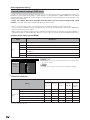
Sound adjustment
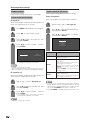
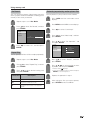
Dolby Virtual
You can adjust the sound quality to your preference
with the following settings.
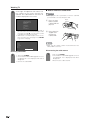
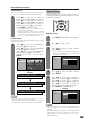
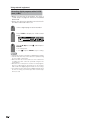
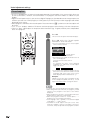
1
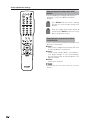
Press MENU and the MENU screen displays.
2
Press c/d to select “Audio”.
MENU
Power Control
Treble
[ 0]
–15
+15
Bass
[ 0]
–15
+15
Balance
[ 0]
L
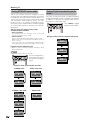
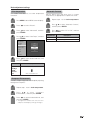
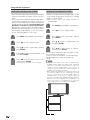
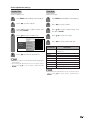
1
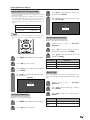
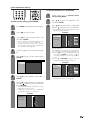
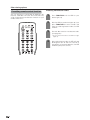
Press MENU and the MENU screen displays.
2
Press c/d to select “Audio”.
3
Press a/b to select “Dolby Virtual”, and
then press ENTER.
R
[Off]
Dolby Virtual
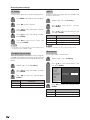
VIRTUAL DOLBY DIGITAL is a technology certified by
Dolby Laboratories that creates a virtualized surround
sound experience from two speakers using Dolby Pro
Logic or Dolby Pro Logic II.
VIRTUAL DOLBY DIGITAL retains all the original multi
channel audio information and provides the listener
with the sensation of being surrounded by additional
speakers.
[Audio]
Audio
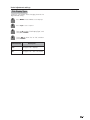
You can enjoy the SURROUND 2ch stereo with Dolby
Pro Logic II technology.
Reset
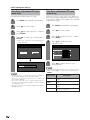
3
4
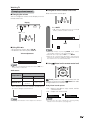
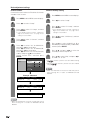
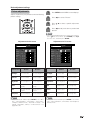
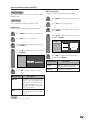
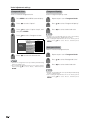
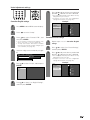
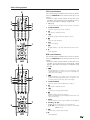
Press a/b to select a specific adjustment
item.
[Audio ... Dolby Virtual]
Audio
Power Control
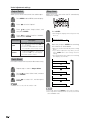
Press c/d to adjust the item to your desired
position.
Selected item
Treble
MENU
cbutton
For weaker treble
dbutton
Treble
[ 0]
–15
+15
Bass
[ 0]
–15
+15
Balance
[ 0]
L
Dolby Virtual
For stronger treble
R
[Off]
Reset
Bass
For weaker bass
Balance
Decrease audio from Decrease audio from
the right speaker
the left speaker
For stronger bass
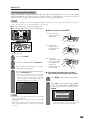
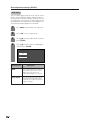
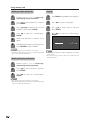
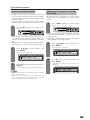
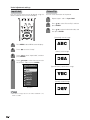
4
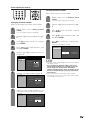
Press c/d to select “On”, and then press
ENTER.
NOTE
NOTE
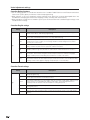
• Audio menu is grayed out when Output Select is set to
“Variable” or when headphones are in use.
• Balance and Audio Quality Control are grayed out when
Dolby Virtual is set to “On”.
• For resetting all adjustment items to factory preset values,
press a/b to select “Reset”, press ENTER, press c/d
to select “Yes”, and then press ENTER.
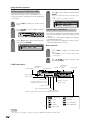
• You can choose Dolby Virtual by pressing
Virtual on
the remote control unit.
• Audio menu is grayed out when Output Select is set to
“Variable” or when headphones are in use.
• Balance and Audio Quality Control are grayed out when
Dolby Virtual is set to “On”.
• For some discs, setup may be required on your DVD. In
this case, please refer to the operation manual of your
DVD player.
• You may not get the Dolby Virtual Surround effect if you
adjust “Treble” or “Bass” setting.
37