1
3590EXT, CPWE series indicator
E-CHECK_03.00_12.05_EN_T
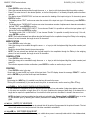
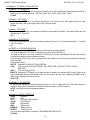
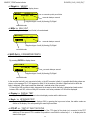
<< (*) Div.Stb. >> DIVISIONS BY STABILITY
In this step one enters the number of divisions by which the instrument detects the weight stability; the higher
the number of divisions, less is the sensitivity, and consequently the stability is more easily detected. The
possible values are 0…99; by setting the 0 value, the check is disabled.
(*) If the indicator is approved, the step is read only.
(!) 2
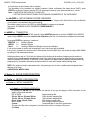
<< (*) GRAV >> GRAVITY ZONE AND ZONE OF USE
In this step one selects the gravitational acceleration value of calibration and of use of the instrument:
Manual entry of the g value: the instrument is ready for the manual entry of the gravitational acceleration value.
If one enters a wrong g value: the minimum decimal value is proposed (9,75001); by a wrong g value one intends a
decimal number not including between 9,75001 and 9,84999 (included).
(!) g = 9,80655
(*) In case of approved instrument the parameter is read only.
<< (*) CALib. >> SCALE CALIBRATION
See section “CALIBRATION”.
(*) In case of approved instrument some parameters inside this step are read only.
<< (*) 0.CALib. >> ZERO CALIBRATION
See section “CALIBRATION”.
(*) In case of approved instrument the parameter is not visible.
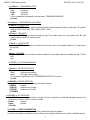
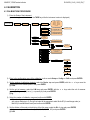
<< Serial >> SERIALS, PRINTOUTS, ETC…
<< PORTS >> SERIAL CONFIGURATION
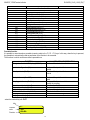
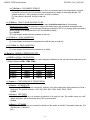
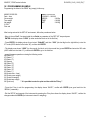
By pressing ENTER it’s possible to choose the most adequate combination for the use of the three serial ports on the
indicator hardware (COM1, COM2, COM3):
Parameter
PC.PR.AX (!)
PC.AX.PR
PR.PC.AX
PR.AX.PC
AX.PC.PR
AX.PR.PC
COM 1
ComPC
ComPC
ComPrn
ComPrn
ComAux
ComAux
COM 2
ComPrn
ComAux
ComPC
ComAux
ComPC
ComPrn
COM 3
ComAux
ComPrn
ComAux
ComPC
ComPrn
ComPC
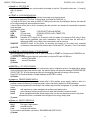
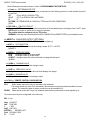
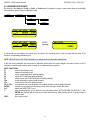
<< Comprn >> CONFIGURATION OF PRINTER SERIAL
<< Baud >> SET BAUD RATE
By pressing the ENTER key one accesses the selection of the data transmission speed (measured in Baud =
bit/second). The possible values are: 1200, 2400, 4800, 9600, 19200, 38400, 57600, 115200
(!) 9600
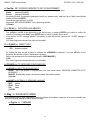
<< Parity >> SET PARITY
By pressing the ENTER key one accesses the selection of the parity bit type. The possible values are: nonE
(absent parity bits), odd (uneven parity bits) e EVEn (even parity bits).
(!) None
<< Word >> SET WORD
By pressing the ENTER key one accesses the selection of the number of data bits. The possible values are: 8 (8
data bits) and 7 (7 data bits).
(!) 8
36