1
Chapter 2: Installation and Wiring
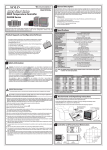
Mounting Instructions
SL4824 Series
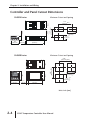
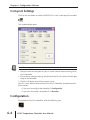
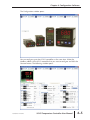
Series SL4824 temperature controllers should be mounted through a cutout in an
enclosure or panel by using the dimensions shown on page 2–4.
The directions for mounting the controller through a cutout are...
1. Insert the temperature controller through the panel cutout.
2. Slide the M3X0.5 nut into the opening in the top of the mounting bracket and
insert the M3X0.5 X 30mm mounting screw in the mounting bracket.
3. Slide the mounting bracket onto the controller and push the mounting bracket
forward until the bracket stops.
4. Tighten the M3X0.5 X 30mm screw to secure temperature controller in place.
4
3
1
2
SL4848, SL4896, SL9696 Series
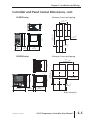
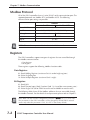
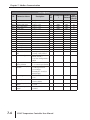
Series SL4848, SL4896 and SL9696 temperature controllers should be mounted
through a cutout in an enclosure or panel by using the dimensions shown on page
2–4 and 2–5. The directions for mounting the controller through a cutout are...
1. Insert the temperature controller through the panel cutout.
2. Slide the M3X0.5 nut into the opening in the top of the mounting bracket and
insert the M3X0.5 X 30mm mounting screw in the mounting bracket.
3. Insert the mounting bracket into the mounting groove at the top and bottom of
the controller, and push the mounting bracket forward until the bracket stops.
4. Tighten top and bottom screws evenly to secure temperature controller in place.
4
2
3
1
1st Ed. Rev F 12/10
SOLO Temperature Controller User Manual
2–3