1
Installation
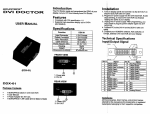
H5P-10EM
Front Panel
From HDMI
Power In
enabled Source
1 input, 2 output HDMI Splitter
Thank you for your purchase of the MONOPRICE HDMI Splitter. We always strive to
offer the finest quality product at the best possible price. Your complete satisfaction is
important to us.
The HDMI Splitter is designed to make your HDTV experience more comfortable,
productive and less expensive. The HDMl Splitter offers solutions for Home Theater, A/V
installations, bars and pubs, schools and corporate training environments.
The HDMI Splitter sends the same video output to two HDTV digital screens. It is a flexible
solution that accommodates multiple displays. Simply connect your HDTV displays to the
splitter's display output. The HDMl Splitter will equalize the HDMI signal as well as support
long length cable applications.
Rear
Panel
To HDMI enabled
To HDMI enabled
Display Devices
Display Devices
Current Output
Indicator
Features and Characteristics
Connect one HDMI sources to up to two HDTV display devices
Maintains 480i, 480p, 720p, 1080i and 1080p resolutions
Maintains highest HDMI single link video resolution and digital audio signal
Supports HDCP compfiant devices
HDMI or DVl-HDMI cables are used to connect to the input and splitter outputs
Active output channels are displayed on the front panel LED's, which are
automatically activated when a cable Is connected to the corresponding output.
Connecting the HDMI Splitter
Can be connected in series with a MONOPRICE HDTV HDMI switcher for
connection of multiple sources to multiple display devices.
<=$
Package Contents
EtxHDMI 1X2 splitter
01x 6VDC 1A power supply
EHx User Manual
O
<=>
^
You can mount the splitter on a flat horizontal surface.
Connect the HDMi cables from the HDTV sources into the HDMf Splitter inputs.
Connect the cable from your display (monitor or projector) into the HDMl outputs of the
HDMI Splitter.
Plug the 6VDC power supply into the HDMl Splitter.
Note:
When adding mc^e output ports to an existing working configuration, it might
be necessary to Hush the "Reset" button on the Splitter to activate the new
port.