1
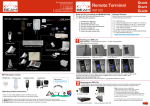
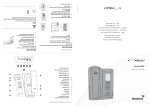
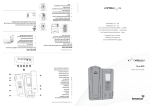
Setting up your BEAM RST620 Fixed Handsfree Car Kit
HFI Side 1
HFI Side 2
!
RED = +BATT (11 to 32 VDC)
BLACK = -BATT (GND)
GREEN = ACC PWR
4
5
CAUTION:
DO NOT connect power
to the battery until the
installation is complete.
Installing the Directional Microphone
The hands-free directional microphone must be properly positioned in the vehicle to ensure
optimum performance.
When selecting a location for the microphone, consider these guidelines:
> Mount the microphone near the centre of the vehicle, either on the driver-side sun visor or
on the head-liner above the driver.
> Do not position the microphone where it may be blocked by the visor.
> Position the microphone so that it faces the user of the mobile when the user is seated
normally.
> Do NOT position the microphone near a window or in any location where road noise or any
ambient background noise may be high (above 85 dB SPL).
> Do NOT position the microphone where it will be affected by the output of the speaker (see
below).
Installing the Speaker
1. Mount the speaker to the transmission hump or underneath
dashboard on passenger side.
2. Mount speaker so it faces AWAY from microphone - this can
cause “feedback” through the system.
3. To avoid damaging the cable, route the cable carefully to ensure
that it does not get crimped by any heavy objects or enclosures.
6
Installing your External Iridium Antenna
7
Connecting Power
See the specific “Iridium Antenna Installation Guide” manual or visit us @ www.beamcommunications.com
1. Ensure the power and Interface cable to the HFI will reach from the RST620 unit to the point at which vehicle
power is being sourced DO NOT connect to the HFI until after the installation is complete.
2. Route the power cable from the HFI to the connection point.
Note: To limit ground loops and high impedance ground paths, run the green/red-stripe and black wires
directly to the battery, or as close to the battery as possible. Use a grommet or other protection to prevent
wear on metal surfaces for these wires.
3. Prepare the fuse block. Remove all fuses, and tape them to their respective holders, before making any
connection. DO NOT insert fuses until you have completed and inspected all connections.
4. Connect the BLACK Ground wire to negative battery / vehicle chassis (if negatively grounded chassis).
5. Connect the RED +Battery wire to the vehicle + Battery (eg. +12V) via a 3A fuse.
6. Connect the GREEN Accessory wire to the vehicle accessory power, via a 1A fuse. (This may be connected to
Vehicle Ignition voltage if Accessory power is unavailable).
8
Testing & Operation
Once steps 1-7 have been completed, test the installation by following this checklist.
Antenna Cable
1. Ensure the Satellite terminal has power to the unit.
2. Ensure that the vehicle is located in an area where quality signal is available
3. Ensure that the Intelligent Handset is plugged into the HFI
4. Turn on the ignition to ACC or ON position
5. The handset should now be on (after few seconds), attempting to find Satellite network
6. Wait for the unit to register on the network (20 to 40 seconds).
7. You are now ready to make and receive calls.
info
ith
d w ndset
e
i
l
p
a
Sup 05A H
95
Checking performance after installation:
To confirm your car kit is working properly:
1. Make a call from the handset in the cradle and confirm operation.
2. Make a call to the handset and confirm operation.
Important Operational Notes
1. When the vehicle ignition is turned off, the handset will be turned off after a delay as follows: The unit will prepare to
turn-off phone after the first 5 seconds. The vehicle ignition can be returned to ACC / ON position during this time, and
the phone will remain on without phone power dropout. This is useful if the vehicle was inadvertently turned off during a
voice-call. If ACC remains off, then the Interface unit will also turn off after a further few seconds.
2. If during operation of the Hands free unit the unit either does not turn on or will not turn off, it is recommended to
follow these steps:
> Turn vehicle Accessories off
> Turn the terminal off
> Wait 10 seconds
> Turn on the vehicle Accessories once more.
3. If the power button is pressed after the accessories has already been turned off in the vehicle the telephone will
operate for a period of 20 minutes before the unit will power off. If after 19minutes a call is in progress the terminal will
stay on for another 20 minutes. This feature is to minimise drain on the battery.
4. The power to the terminal is dependent on the poser source chosen during installation. If power is required at all
times even when the vehicles turned off then the power should be connected to constant 11-32V DC input.
5. Be aware of the possibilities of this however flattening the vehicle battery.
Hands-free Interface LEDs
The Interface unit has a green status indicator (LED), which indicates:
Indictor state
State description
Flash (slow)
Unit is powered, transceiver not registered yet
Steady on
Transceiver registered
Flash (fast)
Call in progress