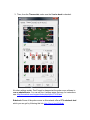
1
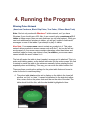
Stealth Tip: It is recommended to hide the bot most of the time when it is
running, and always when you are away from your computer. You also may want
to rename the bot to something other than holdembot.exe, preferably another
common computer application. Right-click on the bot program icon in order to do
this. See the Strategy section below for some specific ideas.
Please note that if you forget to call the bot back from hiding after a session, the
hidden window will come back up when you try to start the bot again.
3.8 Game Type Menu
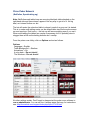
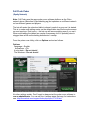
The last selection on the main program window menu is for the game type,
meaning the Limit type of the game you are playing. The bot is unable to autodetect the game type at Bodog so assumes you are playing NL. For Pot Limit or
Fixed Limit games on Bodog it is recommended that you set this manually. For
other poker rooms you can just let it be on Auto Detect.
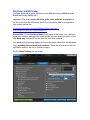
3.9 Options Menu
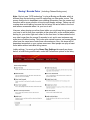
The bot includes many playing options that you, the user, can set. (Most of them
are only for No Limit and Pot Limit games.) These can be found on the main bot
menu by clicking on Options. You will notice the choices are organized into
logical sub-menus. Be sure to read Section 2 of this manual however, so you
understand what level of the bot instructions they affect. These are the most
important options:
MAX SESSION BY HANDS, TIME, & STACK SIZE (Sitout Options)
The first few options allow you to tell the bot to quit playing after a certain amount
of time, certain number of hands, or when your stack size grows to a certain
level.
BATHROOM BREAKS (Sitout Options)
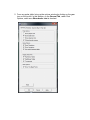
You must set the bot to take breaks. This is under Bathroom Breaks on the
Options menu. The purpose is to mimic being human. You can set the interval
and the time of the break. The shortest allowed break time is 2 minutes. It is not
recommended to take breaks longer than 4 minutes as you are likely to get
removed from the table. A good setting for cash games is 3 minutes every 40120 minutes.