1
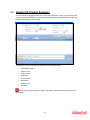
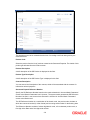
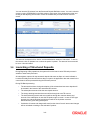
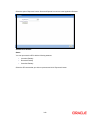
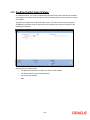
You can launch a SD scheme from the Structured Deposit Definition screen. You can invoke this screen by typing ‘SFSCONON’ in the field at the top right corner of the Application tool bar and clicking on the adjoining arrow button. Invoke the contract that you wish to launch from this screen. The status of the deposit will be ‘Active’ and the authorization status as ‘Authorized’. To launch the contract, click on liquidate icon or select the option ‘Liquidate’. The status of the contract will be set to ‘Launch Initiated’. 3.6 Launching of Structured Deposits During Beginning of Day operations, the system will run the branch–wise SD batch process in addition to other batch processes All subscriptions captured for the structured deposit with status as Open or Launch Initiated or Launched Partially and Launch Date less than or equal to the application date and created in the current branch will be processed during the SD batch process. During SD Batch processing: The amount block done during subscription will be released and new term deposits will be created in the branch of the associated SD contract The subscription amount will be the term deposit amount. The charge booking branch and account will be through the new TD account The interest booking branch and account will be through the customer branch and account of the subscription in case the SD product type is normal. In case of DCD type deposits, the interest booking branch/account will be the liquidation customer branch/account given during subscription. Calculation of interest and charges will start from the date of launch. Interest and charges will be calculated according to the selected IC product 3-21