1
MDT 860 | User Manual
6.1 Introduction
Driver Options contains the functionality to support the Driver ID and Driver Hours features.
Note: These features are enabled over the air and can be configured from the OnlineAVL
application.
When either the Driver ID or Driver Hours features are enabled, in order to use the MDT-860 the
driver needs to be logged on.
Driver ID
Logging on consists of entering a Personal Identification Number (PIN) into the MDT-860, which
is then checked over the air by the OnlineAVL server. The PIN can be configured to display in
‘visible’ or ‘secure’ mode. When in ‘secure’ mode the PIN will display as asterisks.
Successful login - a correct PIN results in the drivers name being sent by the server to the MDT-860.
Unsuccessful login - if no match is found for the entered PIN, the log on fails and the MDT 860
continues to beep until a correct log on is recorded.
Driver Hours
The Driver Hours feature makes it possible to monitor drivers activities and to record their working
time as well as the duration of breaks taken. This, in turn, makes it possible to monitor and to
report driver’s compliance with relevant industry and health and safety regulations.
Additionally, the Driver Hours feature can prompt and warn the driver on:
• when the next rest break is due. E.g. rest break due in 30 minutes
• when the rest break is now due
• if the rest break duration is too short
All prompts and warnings are displayed via a pop up screen.
6.2 Driver Options
Select Driver Options from the Main Menu (or press F5) to display a menu with the following
options:
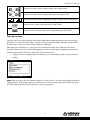
Option
Description
Log on or Log off
Depending upon the current state, either log on or log off.
Driver Status
Select to view a list of available driver statuses.
Working time
Select Working time to display the total time the driver has spent in
“working” state since log on. Working time is cleared when log off occurs.
19
DRIVER OPTIONS
6 Driver Options