1
TK-850/JH3E+NET User’s Manual
Contents
CHAPTER 1 PREPARATION.....................................................................................................................................................7
1.1 Development Tools / Software..............................................................................................................................8
1.2 Installation of Development Tools ........................................................................................................................9
1.2.1 Installation Package .....................................................................................................................................9
1.2.2 Installation of Development Tools..........................................................................................................9
1.3 Sample Programs...................................................................................................................................................... 14
1.3.1 Preparation of Sample Programs......................................................................................................... 14
1.3.2 Overview of Sample Programs ............................................................................................................. 17
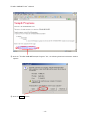
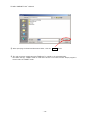
1.4 Installation of USB Driver ..................................................................................................................................... 18
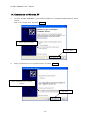
1.4.1 Installation on Windows XP .................................................................................................................... 19
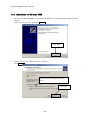
1.4.2 Installation on Windows 2000 ................................................................................................................ 22
1.4.3 Completion of USB Driver Installation............................................................................................... 25
CHAPTER 2 EXPERIENCES................................................................................................................................................... 26
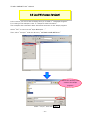
2.1 Start PM+ .................................................................................................................................................................... 28
2.2 What is PM+................................................................................................................................................................ 29
2.3 Load Workspace (project) ..................................................................................................................................... 31
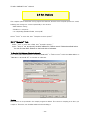
2.4 Set Options................................................................................................................................................................. 33
2.4.1 “General” Tab............................................................................................................................................. 33
2.4.2 "Extend" Tab............................................................................................................................................... 34
2.4.3 “Preprocessor” Tab ................................................................................................................................. 34
2.5 Create Load Module Files ..................................................................................................................................... 36
2.6 Check Debugger Settings...................................................................................................................................... 38
2.7 Check Board Settings............................................................................................................................................. 40
2.8 Start Debugger (ID850QB).................................................................................................................................... 41
2.9 Run Programs............................................................................................................................................................. 44
2.10 Stop Programs ........................................................................................................................................................ 46
2.11 Close Debugger (ID850QB) ................................................................................................................................ 47
2.12 Quit PM+.................................................................................................................................................................... 48
CHAPTER 3 HARDWARE SPECIFICATIONS .................................................................................................................. 49
3.1 Layout of hardware functions.............................................................................................................................. 50
3.2 Layout of solder-short pad .................................................................................................................................. 50
3.3 Hardware Functions................................................................................................................................................. 51
3.3.1 SW1.................................................................................................................................................................. 51
3.3.2 SW2.................................................................................................................................................................. 52
3.3.3 SW3 (INTP17) .............................................................................................................................................. 52
3.3.4 SW4 (INTP18) .............................................................................................................................................. 52
3.3.5 LED1 (POWER) ........................................................................................................................................... 52
3.3.6 LED2, LED3 .................................................................................................................................................. 52
3.3.7 U3(7seg LED)............................................................................................................................................. 53
-3-