1
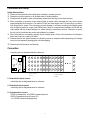
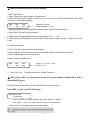
When Operating keyboard joystick in different directions, Dome Camera will do relative movement. The joystick
excursion scope from center is direct ratio to running speed of Dome Camera.(0.4°/S-280°/S)
When the “DATA” column does not show “0”,the “DATA” column displays the Address of the dome
camera.When the “DATA” column shows “0”, the “CAM” column displays the address Of the dome
camera.
(Take “RANCENT” protocol for example to operate Dome Camera)
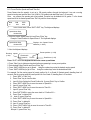
6.3 Auto Scanning (2 Points Scanning,360°Scanning)
A.2 Points Scanning 12
The operator can also run a simple point-to-point scan (also called back-and-forth scanning). To do this, set
Preset Point A first (at the same time set the dwell13 time at Point A), and then set Present Point B (at the same
time set the dwell time at Point B). Finally execute an outer command to scan between points A and B.
2 points scanning: It means scanning between two points. The speed is:Grade1, Grade 2·····Grade64 ( from
slow to fast)
Press “Clear” key on the keyboard DATA area to delete value on DATA column.
1. To set Point A. Move the joystick to the desired position.
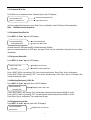
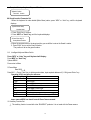
2. In the Main Menu enter a dwell time for Point A. Example: If Dwell time is 2 seconds the keyboard displays:
12
MON
01
CAM
0001
DATA
0000
3. Press “PAN A” key.
4. To set Point B, move the joystick to the desired position.
5. In the Main Menu enter a Dwell time for Point B.
6. Input the grade Speed (1-64) and Press “AUTO” key.
This will start up 2 points Scan
B.360°Scanning 14
The Operator can also start an auto cruise scan. This scan will rotate 360° from the desired position.
Press “Clear” key on the keyboard DATA area to delete value on DATA column.
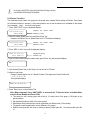
1. In the Main Menu, input desired cruise group No.
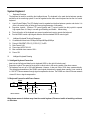
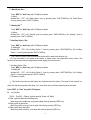
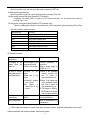
Example: Desired Group No. is 4 the keyboard displays:
MON
01
CAM
0001
DATA
0000
2. Press “Shift + Scan” key to place PTZ into cruise scanning.
OR
1. Move the joystick to desired position.
2. Input the running speed (1-64) and then input Shift + AUTO key.
13