1
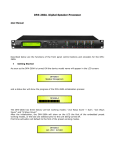
Security Sub-menu – this sub-menu allows the User to set the parameters shown, lock the
DP-26C and set a Password therefore limiting the unit's functions and controls to those who have
access to the appropriate Password.
--
UTILITY MENU
Security Utilities
Press ENTER and then use the NAV/PM1 to scroll between options.
−
Show Parameter: Pressing ENTER from the above menu will access the “Show Parameter”
Sub Menu
--
SECURITY UTILITY
Show Parameter
Press ENTER again and use the PM2 or PM3 encoders to scroll between the “be shown” and
“not be shown” options. An asterisk will highlight which option is selected.
Choosing the “be shown” option means that once the unit is locked, you cannot access
parameter editing features, but they will be displayed on the LCD screen.
Choosing the “not be shown” option means that once the unit is locked, the parameters will
not be shown at all.
With this option, when trying to access a parameter, the following
screen message will appear:
Parameter will
not be shown
*
−
Lock Unit: this sub-menu allows the user to lock the device so no parameters can be edited
or modified.
--
SECURITY UTILITY
Lock Unit
--
When the Unit is in an unlocked condition, all parameters will be available for editing.
you select On, all parameters will be locked and are not available for editing.
Lock Unit
Lock : On
When
*
When you select lock from the menu, the unit will be locked and the lock menu automatically
exited. The screen will revert to the “Default” showing the current XOVER configuration and
the preset selected and beside the preset’s name a “keylock” icon indicating that the DP-26C
is locked.
21