1
z
Factory Reset
In the event of the password being lost or any other reason the user may require the unit to be
reset to the original factory settings, a "Factory Reset" that will clear all settings of the DP-26C
and return the device to the original factory setting, is available to the user.
Note: Continuing with this process will mean the DP-26C will re-initialize to the original factory
settings and any previously stored information and changed parameters will be permanently lost.
Note1: Together with the all information, also the current password will be lost after a “Factory
Reset” and will be replaced with the Factory one: “000000”.
In case the customer forgot the password and need to reinitialize it, can use the “Factory Reset”
to put the Password at its original “000000” value.
−
Use the following procedure to perform the factory reset:
1.
2.
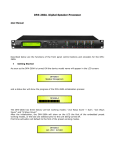
While the DP-26C is switched OFF, simultaneously press the ENTER+ESC+UTILITY buttons
on the front panel.
Maintain pressure on all three buttons as you turn the power switch to On and the
following LCD screen appears on the DP-26C:
Please Wait......
Memory Reset
3.
Release the buttons and wait for the DP-26C to re-initialize.
Once completed, the DP-26C will resume regular operation as though it was a new unit from the
factory and no previously programmed parameters will be available for use.
51