1
Merlin 128 User’s Manual
Macros
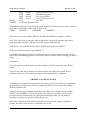
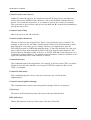
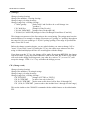
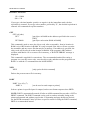
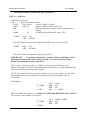
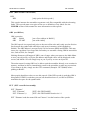
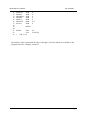
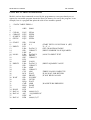
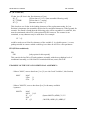
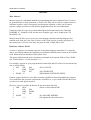
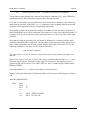
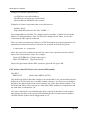
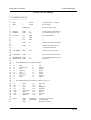
Here's another example:
MOVE
MAC
LDA
STA]2
<<<
]1
; define a macro named MOVE
; load accum with variable ]1
; store accum in location ]2
; this signals the end of the macro
This is a macro that moves a byte (or value) from one location to another. In this example
the variables are 11 and 12. When you call the MOVE macro you provide a parameter list
that "fills in" variables ]1 and ]2. What actually happens is that the assembler substitutes the
parameters you provide at assembly time for the variables. The order of substitution is
determined by the parameter's place in the parameter list and the location of the
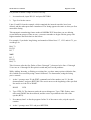
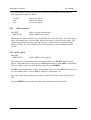
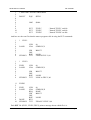
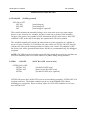
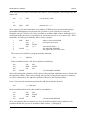
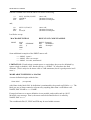
corresponding variable in the macro definition. Here's how MOVE would be called and then
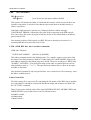
filled in:
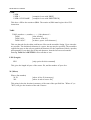
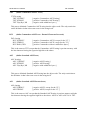
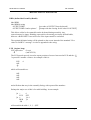
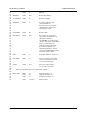
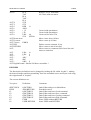
MOVE
$00;$01
MOVE: macro being called
$00: takes place of ]1 (1st variable)
$01: takes place of ]2 (2nd variable)
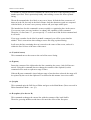
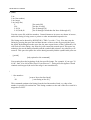
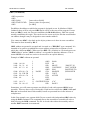
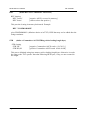
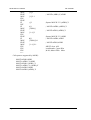
then, the macro will be "expanded" into assembly code,
>>>
LDA
STA
MOVE,$0D;$01
$00
{$00 in place of ~1}
$01
{$01 in place of 121
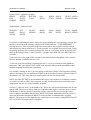
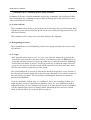
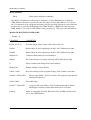
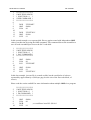
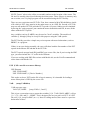
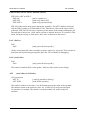
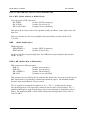
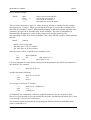
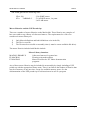
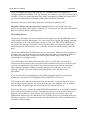
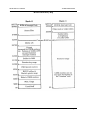
It is very important to realize that anything used in the parameter list will be substituted for
the variables. For example:
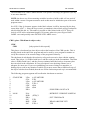
>>>
MOVE,#"A";DATA
would result in the following:
>>>
LDA
STA
MOVE, #"A";DATA
#"A"
DATA
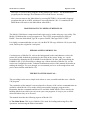
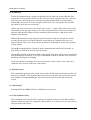
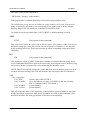
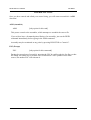
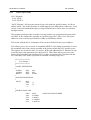
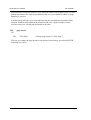
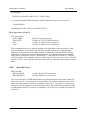
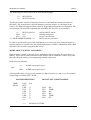
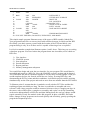
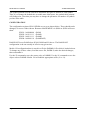
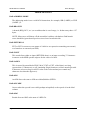
You can get even fancier if you like:
>>>
LDA
STA
MOVE,#"A"; (STRING),Y
#”A”
(STRING),Y
As illustrated, the substitution of the user supplied parameters for the variables is quite
literal. It is quite possible to get into trouble this way also, but Merlin will inform you, via an
error message, if you get too carried away.
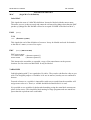
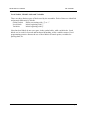
One common problem encountered is forgetting the difference between immediate mode
numbers and addresses.
Page 92