1
Merlin 128 User's Manual
The Assembler
FORMATTING PSEUDO OPS
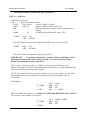
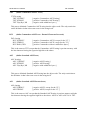
LST ON/OFF
(LiSTing control)
LST ON or OFF
LST ON
LST OFF
LST
[turn listing on]
[turn listing off]
[turn listing on, optional]
This controls whether the assembly listing is to be sent to the screen (or other output
device) or not You may, for example, use this to send only a portion of the assembly
listing to your printer. Any number of LST instructions may be in the source. If the LST
condition is OFF at the end of assembly, the symbol table will not be printed.
The assembler actually only checks the third character of the operand to see whether or
not it is a space. Therefore, LST will have the same effect as LST ON. The LST directive
will have no effect on the actual generation of object code. If the LST condition is OFF,
the object code will be generated much faster, but this is recommended only for debugged
programs.
NOTE: ESCAPE from the keyboard toggles this flag during the second pass, and thus can
be used to manually turn on or off the screen or a printer listing during assembly.
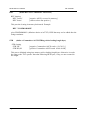
LSTDO
ON/OFF
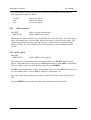
LSTDO ON or OFF
LSTDO ON
LSTDO OFF
LSTDO
(LiST DO OFF areas of code)
[list the DO OFF areas]
[don’t list the DO OFF areas]
[list the DO OFF areas, optional]
LSTDO ON causes lines in DO OFF areas to be listed during assembly. LSTDO OFF will
not print such lines. The default condition can be set in the PARMS.S file. Macro
definitions are exceptions. These are listed, unless in a LST OFF condition, even if you
have LSTDO OFF.
Page 68