1
11-2
Saving IntelliCENTER Data
Maintaining Event Log Database
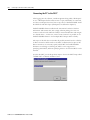
The Event Log will continue to record events as long as there is space on
the hard drive. It is suggested that this data be periodically exported and
saved. After exporting this event data, the events in the Event Log can be
deleted.
The user must be logged into the IntelliCENTER Software as the
"Administrator."
The Elevation View of the MCC for which the events are to be deleted must
be open and selected.
To delete old events:
•· Export the Event Log, if not already done, as described above
•· Navigate to the Event Deletion Tool
•o From the menu bar - Tools/Delete Events
•· Select a date - all events prior to this date will be deleted.
•· Click OK.
Backup and Restore Data
IntelliCENTER uses two files (ic.mdb and icsetup.mdb) to store all the
configuration information for the IntelliCENTER software. Do not confuse
this configuration for the device data, such as Full Load Amps. The
software configuration data file includes all the parameters that are selected
for display in the monitor view, unit locations, nameplate data, etc.
The Backup Data command will create a *.zip file of all configuration files
on the computer. To facilitate this process a compression tool is included in
the installation of the IntelliCENTER software. The *.zip file can be
transferred to other PCs or stored for archive purposes. To Backup the
IntelliCENTER database files, select Backup Data... from the Tools menu.
Publication 2100-RM003B-EN-P - March 2003