1
LOAD SETUP FROM A
USB
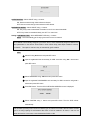
User can upload the menu setting value of DVR to another DVR using the
USB Memory stick.
USB UPGRADE
The firmware of DVR can be upgraded through USB port
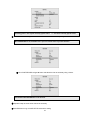
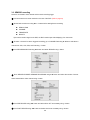
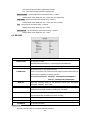
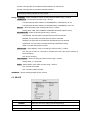
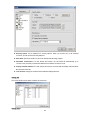
DESCRIPTION – Select DESCRIPTION using ▲▼ buttons and press SEL button.
MAIN BOARD VERSION: Displays the version of the system main board.
FIRMWARE VERSION: Displays the version of the system firmware.
STORAGE SIZE: Displays the capacity of the HDD.
IP ADDRESS: Displays the IP address of the DVR.
MAC ADDRESS: Displays the MAC address of the DVR.
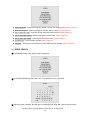
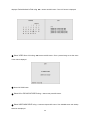
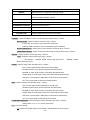
DATE FORMAT – Refer to “2-3. Time setting”
SET DATE & TIME – Refer to “2-3. Time setting”
DLS – Refer to “2-4. DLS (Day Light Saving) time setting”.
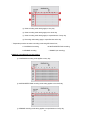
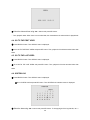
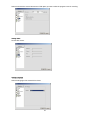
ADMIN PASSWORD – Select ADMIN PASSWORD using ▲▼ buttons and press SEL button.
Then the ADMIN PASSWORD screen is displayed.
NETWORK PASSWORD – Select NETWORK PASSWORD using ▲▼ buttons and press SEL button.
Then the NETWORK PASSWORD screen is displayed.
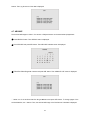
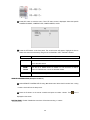
Changing of PASSWORD (ADMIN/NETWORK)
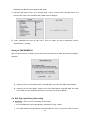
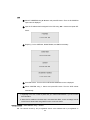
① Select ADMIN PASSWORD / NETWORK PASSWORD using ▲▼ buttons and press SEL button.
Then the Current password input screen is displayed.
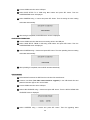
② Enter the current password using ▲(1) ▶ (2) ▼ (3)◀(4) buttons and press SEL button. Then the
New password input screen is displayed.
③ Enter the new password using ▲(1) ▶(2) ▼(3)◀(4) buttons and press SEL button. Then the
confirm password input screen is displayed.
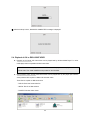
④ Enter the same password as the new password using ▲(1) ▶(2) ▼(3)◀(4) buttons and press
SEL button. Then the “PASSWORD CHANGED” message is displayed.
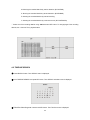
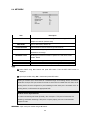
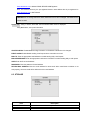
LANGUAGE – Select LANGUAGE using ▲▼ buttons and Select a language using ▶◀ buttons.
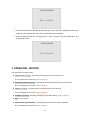
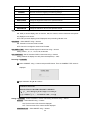
LOAD DEFAULT – Select LOAD DEFAULT to initialize the setting using ▲▼ buttons and press SEL button,
Select confirm. Then LOAD DEFAULT screen is displayed.
The DVR is rebooted automatically when LOAD DEFAULT is confirmed
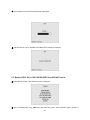
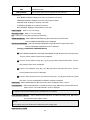
LOAD FACTORY DEFAULT – Select LOAD FACTORY DEFAULT to initialize the setting using ▲▼ buttons
and press SEL button. Select confirm.
NOTE
Every setting value of the DVR will be initialized as factory-setting value.
SAVE SETUP TO A USB
55