1
•
2.
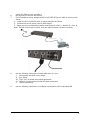
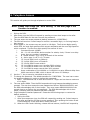
Attach the mounting brackets to the unit as shown, using the four retaining
screws provided for each of the brackets.
• Choose a location for the brackets. A notched hole on the vertical rail
denotes the middle of a U slot.
• Align the mounting holes of brackets with the notched hole on the vertical rail
and attach with the retaining screws.
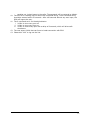
Connect all input and output connectors.
3.
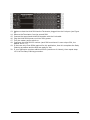
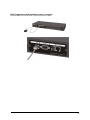
Connect Ethernet cable to RPM.
4.
5.
Program the IP address. (Please check the software user’s guide).
Set RPM’s front control buttons for Internet/remote on manually control. (Please
7