1
Grapholas 12.1
6
Working with Interchangeable Lenses (Optional)
Optionally, the CDI can be equipped with interchangeable lenses. This allows you to use two
different resolutions like "Standard" and "HighRes" or "HighRes" and "Secuflex".
Here, the software makes use of two profiles which must be selected when starting the service.
The optics automatically configures the according lens system. An Esko technician sets up the
system.
IMPORTANT: The jobs are saved separately for each profile. In case you want to send
jobs from a PlatePrep, you need to select the correct profile first.
6.1 Starting the Service
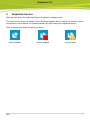
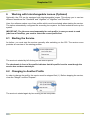
As before, you must start the service manually after switching on the CDI. The service menu
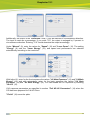
provides an overview of the existing profiles:
The service is started by left-clicking on the desired profile.
The checkmark in front of the profile indicates that this profile is active even though the
service has not been started yet.
6.2 Changing to Another Profile
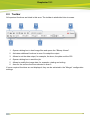
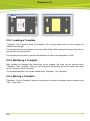
In order to change the profile, the service must be stopped first (1). Before stopping the service,
close the "Merger" and the "Exposer".
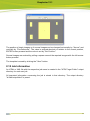
The service is started again by left-clicking on the new profile.
14