1
Managing System Parameters
15.10 Tuning BAP System Parameters
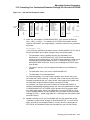
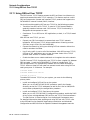
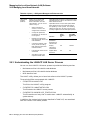
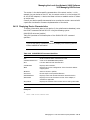
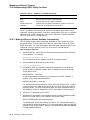
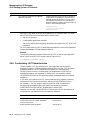
If you prefer not to use this command because you want to adjust only the BAP
parameters settings, you can use the following procedure:
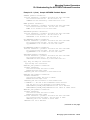
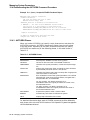
1. Run SYS$SYSTEM:AGEN$FEEDBACK.EXE manually.
2. Search SYS$SYSTEM:AGEN$FEEDBACK.DAT for BAP_... values.
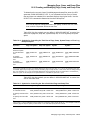
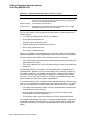
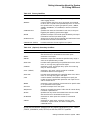
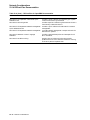
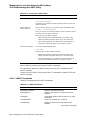
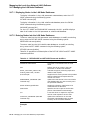
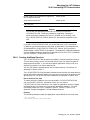
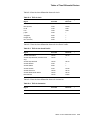
3. Run SYSGEN to set the following system parameters with the corresponding
BAP_ values you obtained in Step 2:
AGEN$FEEDBACK Data
System Parameter
Units
BAP_MIN
NPAG_BAP_MIN
bytes
BAP_MAX
NPAG_BAP_MAX
bytes
BAP_MIN_PA
NPAG_BAP_MIN_PA
Mb. PA1
BAP_MAX_PA
NPAG_BAP_MAX_PA
Mb. PA1
1 PA
represents the memory physical address value.
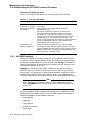
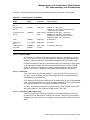
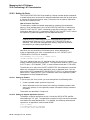
The BAP allocation amount depends on the adapter type, the number of adapters,
and the version of the operating system. The size of physical memory and the
I/O bus determine whether the BAP remains separate or is merged with normal
nonpaged dynamic memory (NPAGEDYN).
The general rule that determines whether BAP remains separate follows:
•
PCI adapters using BAP: separate if physical memory > 1 GB
•
XMI adapters using BAP: separate if physical memory > 4 GB
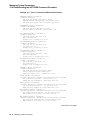
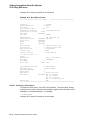
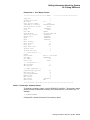
For systems whose BAP is merged with nonpaged pool, the initial amount
and maximum amount of nonpaged pool (as displayed by the DCL command
SHOW MEMORY/POOL/FULL) do not match the value of the NPAGEDYN and
NPAGEVIR system parameters. Instead, the value of the NPAG_BAP_MIN
system parameter is added to NPAGEDYN to determine the initial size, and the
value of NPAG_BAP_MAX is added to NPAGEVIR to determine the maximum
size.
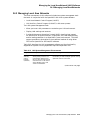
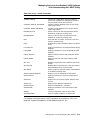
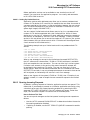
On OpenVMS systems with merged BAP, the values of the NPAGEDYN... system
parameters typically need to be increased. After your system has been running a
few days, you can adjust these values by one of the following three methods:
•
Use AUTOGEN with the FEEDBACK qualifier which will automatically
adjust the values of the NPAGEDYN... system parameters.
•
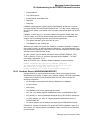
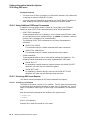
Use the DCL command SHOW MEM/POOL/FULL to analyze NPAGEDYN/BAP pool
utilization. Then change the values of the NPAGEDYN... system parameters
with SYSGEN, based on the results of this command.
•
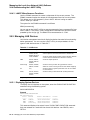
Run SYS$SYSTEM:AGEN$FEEDBACK.EXE as previously described.
Check the AGEN$FEEDBACK.DAT file for the feedback results for the
NPAGEDYN... system parameters and adjust them accordingly, using
SYSGEN.
15–38 Managing System Parameters