1
USER MANUAL (DRAFT)
TFTtool
Programming tool for TFT320
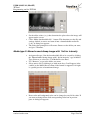
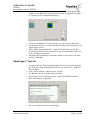
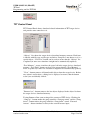
• Click “Make downloadable file” –button. Sequence information is
translated into downloadable media file format (*.tft). A dialog box
appears.
• The dialog box prompts for a file name. Browse to the folder you want,
and give a filename.
Media type S: Setup file
•
•
•
•
•
•
Note:
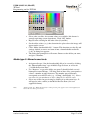
Assign media type S for the downloadable file to be created by clicking
the “Setup file” type in Media Type Selector, or select tab “S” of Media
Preview Pane.
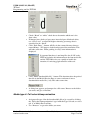
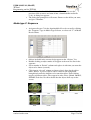
Use “Browser” to go to the folder you want.
Select source file by clicking it or with arrow keys. It will appear (after
a while) to the Media Preview Pane if the format is supported.
File can be edited and saved with changes.
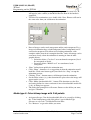
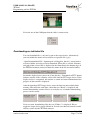
Click “Make downloadable file” –button. This function uses the
previewed file as source and turns it into a downloadable media file
(*.tft). A dialog box appears.
The dialog box prompts for a file name. Browse to the folder you want,
and give a filename.
Setup file is a special object. A device can hold only one setup file. For example - there is no
need to remove old Setup file as the new one always replaces the old one. For this reason it is
also not shown in the “Objects” list of “TFT Control Panel”.
Download
Connecting a TFT320 device
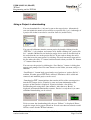
A programming cable is needed in transferring binary files to TFT320 display
devices. The cable has a 9-pin female D connector in one end; connect it to the
computer's serial port (COM1 or COM2). The other end has a 4-pin female
KK-type connector, connect it to the pin header type connector of the display
device.
Vuolas Electronics Oy Ltd.
[email protected]
Rev. 0.3 (draft)
May 2005
Page 16 of 20