1
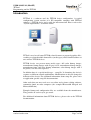
USER MANUAL (DRAFT) TFTtool Programming tool for TFT320 Introduction TFTTool is a software tool for TFT320 device configuration. A typical configuration system consists of a PC-compatible computer with TFTTool software, a TFT320 device and a cable for interconnection. Please refer to the “System requirements” section for details. TFTool is used to add some TFT320 related features to prepared graphics files, resulting to a downloadable format files (media types) and to download those to one or more TFT320 devices. TFT320 device can present many media types: full color bitmap images, monochrome bitmap images with 64 gray levels, monochrome bitmap images, monochrome fonts, full color bitmap animations, color bitmap images with 2 bit palette, text files and sequences. In addition there is a special media type – setup file. It determines the device's response to different control combinations. Modifications to this file change the behavior of the device. For additional information about setup file, please refer to application specific setup file documentation. Other tools that one may need are a text editor and a picture editing software, commonly found on most computers (for example Microsoft Notepad and Microsoft Paint). Example bitmap and configuration files are available from the manufacturer. They provide an easier way to get started. For additional information about TFT320 devices, please refer to the TFT320 documentation. Vuolas Electronics Oy Ltd. [email protected] Rev. 0.3 (draft) May 2005 Page 3 of 20