1
3 VmDas Acquisition Software
The software VmDas is used for data acquisition and playback.
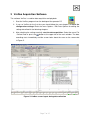
1. Start the VmDas program from the desktop of the operator PC
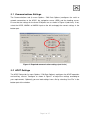
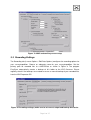
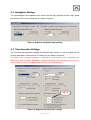
2. If you run VmDas for the first time you should follow the next chapters to check the
configuration settings! Enter the menu Options / Edit Data Options for editing the
settings described in the following chapters.
3. After checking the settings carefully start the data acquisition. Select the menu File
/ Collect Data or press the
button at the upper left of the main window. The data
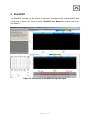
recording starts immediately and the screen looks about the same as the screenshot
in Figure 5.
Figure 5: VmDas screen layout during data collection
Page 7 of 15