1
PDA500P User Manual
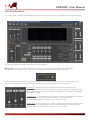
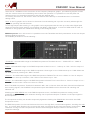
STORE Preset: the PDA500P has the possibility to store within its on board Eeprom up to 8 Presets
recallable by the back panel Encoder.
From the Pc Sw is possible to store within the PDA500P Eeprom the 8 presets, naming them as desired and
allocating them in locations numbered from 1 to 8, with the desired sequence.
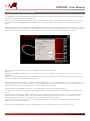
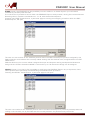
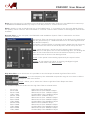
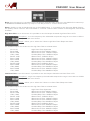
Pressing the STORE Preset button, a particular page for naming and assigning a location within the DSP
board's Eeprom, will open
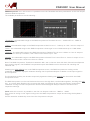
The user can store within at the selected position within the DSP board Eeprom (position assigned by the
Select Position scroll window) the currently edited setting with the desired name, assigned within the EDIT
NAME frame.
Selected directory the current edited configuration (Input and Outputs setting and Operative Mode) and
assign the the Preset the desired NAME. A name with up to 16 characters lentgh can be assigned
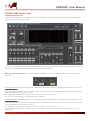
RECALL Preset: From the Pc Sw is possible to recall from the PDA500P Eeprom any of 8 presets, there
where presets were previously stored following the STORE Preset procedure.
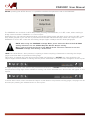
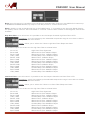
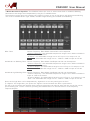
Pressing the RECALL Preset button, a particular page for will open
The user can recall from the selected position within the DSP board Eeprom a previously stored preset and
making it the currently ran by the DSP and the currently edited in its parameters by the Pc Sw.
Designed in Italy Assembled in China