1
PDA500P User Manual
OUTPUT PAGES (2-way mode)
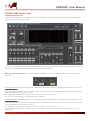
Low Output Page Processes
As previously described, this page can only be entered providing the OUTPUT password when pressed the
LOCK button from the Input Page.
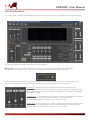
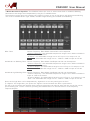
From the “Low Output” Page all the available processes on the Low Output Path can be available for editing
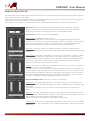
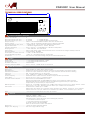
On the Low Output path the available processes are the following:
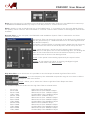
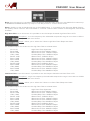
All Pass Filter 1st/2nd Ord: In the All Pass Filters frame, a First or Second order All Pass Filter can be
selected.
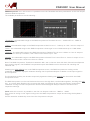
All Pass 1stOrd: Filters allowing a FLAT Amplitude response and adding a 90 Degree Phase rotation at the
selected Frequency.
If we selected an All Pass filter of the 1st order, then Phase Rotation Frequency has to be set at a desired
value selectable in the Frequency frame
The selectable frequencies range is from 20Hz to 20kHz in steps of 1Hz
For the 1st Order All Pass, no Q adjustment is allowed.
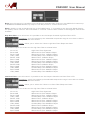
All Pass 2ndOrd: filters allowing a FLAT Amplitude response and adding a 180 Degree Phase rotation at the
selected Frequency.
If we selected an All Pass filter of the 2nd order, then Phase Rotation Frequency has to be set at a desired
value selectable in the Frequency frame
The selectable frequencies range is from 20Hz to 20kHz in steps of 1Hz
For the 2nd Order All Pass, a Q adjustment is allowed: the selectable Q range is from 0.5 up to 10.0 in
steps of 0.1.
Designed in Italy Assembled in China