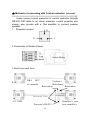
1
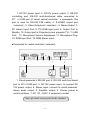
in the state of waiting, continually press
times, and press
buttons for four
button into state of infrared decoding. At
this time, users will hear a voice of “Bee”, all indicators will be on
to start operation;
2. Put visual presenter’s remote controller opposite to
receiver window, press
button on remote controller, hear of
a voice of “Bee” shortly, and indicators will be off;
3. Put DVD’s remote controller opposite to visual presenter’s
infrared receiver window, press “MENU” button, will hear of a
voice of “Bee” shortly, indicators will be on
4. after decoding,turn off power, infrared decoding has been
finished sucessfully.
Another example:
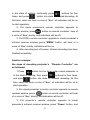
the steps of decoding projector’s
“Remote Controller” are
as followed:
1.Press
button for five times when visual presenter is
in the state of waiting, then press
and press
buttons for four times,
button into state of infrared decoding. At this
time, users will hear a voice of “Bee”, all indicators will be on to
start operation;
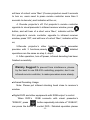
2. Put visual presenter’s remote controller opposite to remote
receiver window, press
button on remote controller, will hear
of a voice of “Bee” shortly, and indicators will be off;
3. Put projector’s remote controller oppoiste to visual
presenter’s infrared receiver window, press “Power” button, and
- 21 -