1
Cache
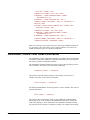
Cache sets whether the respondents' browsers will cache the survey pages. Cache
may be set to Yes or No. If you expect respondents to frequently use the back button
to review previous answers, set Cache to Yes so their pages load faster. Otherwise,
the setting is not important.
Cache=Yes
Index
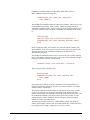
Index sets whether search engine spiders will be allowed to index and follow links
on the survey pages. Index may be set to Yes or No. Each survey page will include
the robots meta tag with instructions to search engine spiders to include or exclude
the page from their index. Some search engine spiders ignore meta tags so setting
Index to No will not guarantee that a page will not be indexed.
Index=No
ForceLoaderSubmit
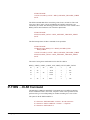
ForceLoaderSubmit sets the method used to load the first page of the survey.
ForceLoaderSubmit may be set to Yes or No. The link to the survey is actually a link
to a loader page. The loader can display the first page of the survey using two
different methods.
When set to No (fastest method), the loader page is replaced with the first page of the
survey. Using this method, you will not be able to tell how many people just looked
at the survey without completing any questions. Data will only be captured when
they click a submit button.
When set to Yes, the loader page is processed as if a submit button were clicked. The
respondent's IP address and data and time are captured. Even if they don't complete
any actual survey questions, you'll know that they looked at first page of the survey.
ForceLoaderSubmit=Yes
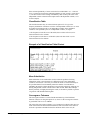
ExtraTallBlankLine
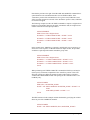
ExtraTallBlankLine sets the height when the BlankLine command is used.
ExtraTallBlankLine may be set to Yes or No. A setting of Yes increases the height
of a blank line, and No decreases it.
ExtraTallBlankLine=No
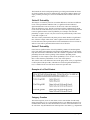
RadioTextPosition
RadioTextPosition sets the position of the text that is adjacent to a radio button.
RadioTextPosition may be set to Left or Right. When set to Left, the text will appear
to the left of a radio button, and when set to Right, the text will be displayed to the
right of the radio button.
Example: RadioTextPosition=Right
StatPac For Windows User's Manual
Internet Surveys • 103