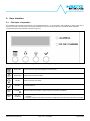
1
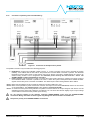
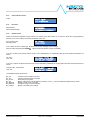
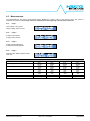
6.3.1
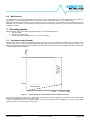
Power ON test screen
Self test
in progress…
Action:
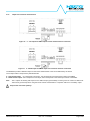
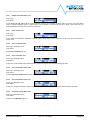
6.3.2
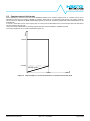
ID screen
Device Name:
Device Serial Number:
6.3.3
NPS2400X
xxxxxxxxxxxxxxxx
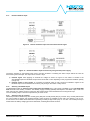
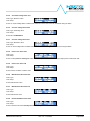
Default screen
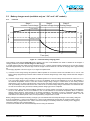
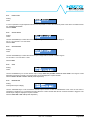
This is the screen that appears any time if there is no activity on the other menus for >1 minute. It shows the on going alarms (if
present) or the on-line values of the main parameters of the unit.
Error or Alarm type:
Offending value:
OL Alarm
Iout=103A
Line 1 shows the error or alarm type, while line 2 shows the offending value causing it.
When an alarm is present the ALARM
LED is ON and the buzzer is active (if enabled).
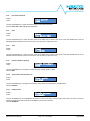
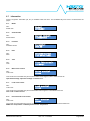
If no error or alarms are present and the mode is set to OVERBOOST or CURRENT-LIMIT the most significant measures are
shown.
Ui=xxxV Po=x.xkW
Uo=xx.xV I=xxxA
Uin, Pout:
Uout, Iout:
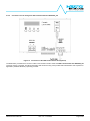
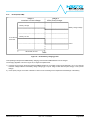
If no error or alarms are present and the mode is set to BATTERY-CHARGER the charger status and other useful measures are
shown:
Charger status, Temperature:
Uout, Iout:
BC_FLOAT
xx.xC
Uo=xx.xV I=xxxA
The available charger statuses are:
BC_CC
BC_CV
BC_FLOAT
BC_OT
BC_ERROR
BC_REVIVE
BC_CHECK
: Constant Current charge in process
: Constant Voltage charge in progress
: Float Charge in progress
: Battery environment over-temperature condition ( >50°C) – only if provided with optional Temp. sensor
: Battery is faulty or not connected
: Charger is trying to revive the battery
: Battery is checked by the charger
NPS2400 User’s Manual
Rev. 3.0 – 17.02.2015
Page 23/38