1
Summary of Enhancements
BritNet Release 4.5.0.037
Order Entry
Forced Subs
With this enhancement, quotations will now obey the forced sub setting for the customer in accounts
receivable (C E G). See the Section 7.8 of the Britannia User’s Manual for more details on forced
substitutions.
Quotations
If you create quotations for print jobs using lot sizes, you will now be able to edit the selling price as
well as the cost when you edit the item. If you were using quotations for repeat orders, this change
will allow you to continue to use the same quotation to convert to an open order when you increase
the selling price.
Miscellaneous Items on Regenerated Invoices
When you change the 3 digit manufacturer code for a miscellaneous item and regenerate the invoice
the manufacturer code will now print on invoices. As this is a new data field, the code will only print
on invoices that are created after you are updated to Version 37.
Order Acknowledgement
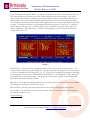
A new form, order acknowledgement, has been added in order entry. In its present form, the order
acknowledgement will print the list price, discount, unit price and extended price. To set up your seat
to print an order acknowledgement, you must edit your Order Entry local profile. On the Options
menu, select F3 to edit the local profile and respond yes to the question “Prompt for printing the
Order Acknowledgement? Y/N.” Upon exiting an invoice you will see a new prompt “Print
ORDER ACKNOWLEDGEMENT for these items now?, Y/N No.” The Order Entry local profile
must be changed on each seat that will be printing order acknowledgements.
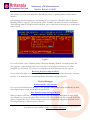
Future Delivery Date Open Orders Report
If you have been using the future delivery dates option for your school orders or other delayed
delivery orders, you now have the ability to print a report of these orders. The report is accessed
from the Back-Fill & Batch Print menu. The report is similar to the Open Orders Detail Report.
Keystrokes for the report are O>B>O>F. You can select filled value or pending value. After
selecting filled or pending value, you will have and option to select invoices by delivery dates or route
codes. When selecting delivery dates, the dates displayed are the earliest delivery dates entered on the
orders. The report will display the earliest delivery date and the latest delivery date on each order.
Consolidation of Line Items on New Orders
This feature (when activated) will consolidate multiple lines of the same item for printing and
purchasing. To activate you must edit your Order Entry local profile (F3) and respond yes to the
following question: “Prompt for consolidation of Items on New Order Y/N”. After adding a new
line for an item that already exists on the invoice you will see the following question “Item already on
order, Add the quantity to that line item Y/N? No.” If you respond YES, the quantity for the
© 2005 Britannia, Inc.
Tel: 800-274-5245
User Notes are also available at http://notes.britanniainc.com.
Page 2 of 12