1
ARRL TravelPlus*
143
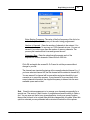
Customizing the list for the radio file:
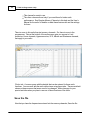
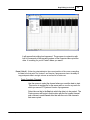
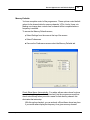
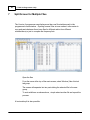
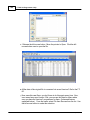
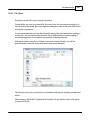
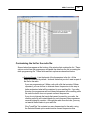
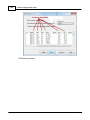
Several selections appear at the bottom of the window that contains the list. These
options control how the programmer will handle the data from the list in creating the
radio programming file. These fields and their options are described below.
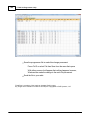
Selected Bands: Lists the bands of the frequencies in the list. All the
bands are selected by default. Uncheck those that you don't want as part of
the file for the radio.
If you are programming a 2 Meter radio with a file that contains 6 Meter
repeaters, you can choose to eliminate those frequencies in this step to
better understand what will be contained in your resulting file. If you skip
this step, the programmer will omit these frequencies in the resulting radio
file since the radio does not operate on these frequencies.
If you do not eliminate the bands that cannot be used by your radio, the
resulting radio file will contain blanks for each frequency the programmer
removes during file creation. Although the radio does not care, you may
not want all those blanks in your radio file.
If the TravelPlus* list contains too many frequencies for the radio, using
the Selected Bands option would remove unused frequencies thus
© 2013 RT Systems, Inc.