1
Menu Operation
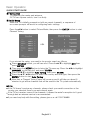
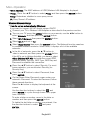
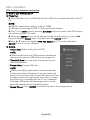
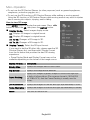
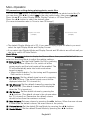
– MAC Address: The MAC address of USB (Wireless LAN Adapter) is displayed.
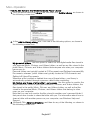
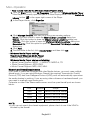
– Proxy:Press the ▲/▼ button to select Proxy, and then press the ENTER button.
Proxy: Determines whether to use a proxy server.
IP: Proxy Server’s IP address.
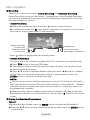
Wireless Network Setup
– How to set up automatically (Wireless)
If you want to connect AP, AP should support DHCP.
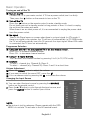
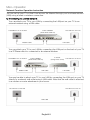
1. Connect your TV to Wireless LAN Adapter as described in the previous section.
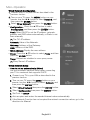
2. Turn on your TV, press the MENU button on your remote, use the ◄/► button to
select Network, and then press the ENTER button.
3. Select Wi-Fi Network then press the ENTER button.
4. Select Wi-Fi and set to On.
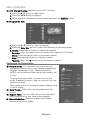
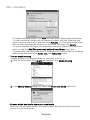
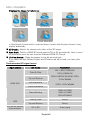
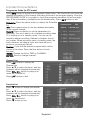
5. Select Base Station then press the ENTER button. The Network function searches
for available wireless networks. When done, it displays a list of the available
networks.
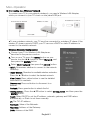
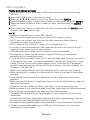
6. In the list of networks, press the ▲/▼ button to
select a network, and then press the ENTER button.
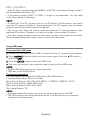
If the AP is set to Hidden (Invisible), you have to select
Other (Hidden WiFi AP) and enter the correct SSID
(Network Name), Security, WEP Type, WEP Key and
Password to establish the connection.
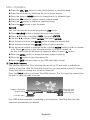
7. Press the ▲/▼ button to select Security. For most
home networks, you would select Security (for
Security Key).
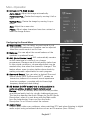
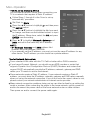
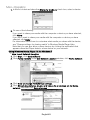
8. Press the ▲/▼ button to select Password, then
press ENTER.
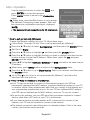
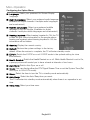
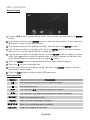
9. On the Please Enter Password screen, enter your
network’s Password. To enter the Password, follow
these general directions:
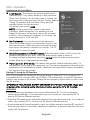
Press the ► button to display the keyboard at the
screen.
Use the direction buttons to select the
and
press ENTER to cycles through lower case, upper
case, numbers.
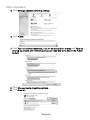
To enter a letter or number, move to the letter or
number, and then press the ENTER button.
To delete the last letter or number you entered, Use
and press
the direction buttons to select
ENTER.
English22