1
AMD Confidential
User Manual
August 22nd, 2006
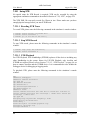
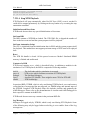
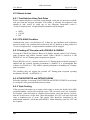
7.22.1 Using XTR
No special setup for XTR Record is required; XTR can be recorded by using the
appropriate automation commands as described in Section A.7.28, “XTR”, on page 224.
The XTR XML file can easily exceed five Gbytes in size. Please make sure you have
enough physical storage before you start XTR Record.
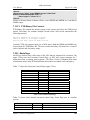
7.22.1.1 Recoding XTR Trace
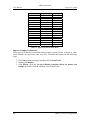
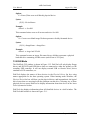
To record XTR, please enter the following commands in the simulator’s console window:
1 simnow> xtrsvc.xtrfile <filename.xml>
1 simnow> xtrsvc.xtrenable 1
1 simnow> go [or hit Run on the shell]
7.22.1.2 Stop XTR Record
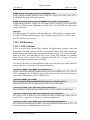
To stop XTR record, please enter the following commands in the simulator’s console
window:
1 simnow> stop [Stop the simulation]
1 simnow> xtrsvc.xtrenable 0
7.22.1.3 XTR Playback
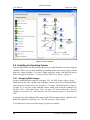
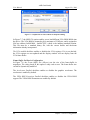
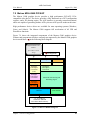
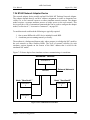
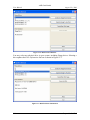
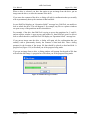
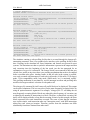
For XTR Playback, XTR Northbridge (XTRNB) replaces all the devices including any
other Northbridge in the system. Hence for UP-XTR Playback, only AweSim and
XTRNB are required. Please refer to Section 7.22.1.3, “XTR Playback”, on page 96, on
how to connect AweSim and the XTRNB device. It is recommended to also include the
Debugger device for debugging or logging needs.
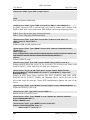
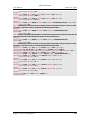
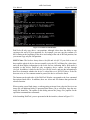
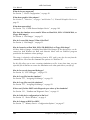
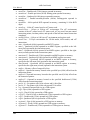
To playback XTR, please enter the following commands in the simulator’s console
window:
new
adddevice "Debugger"
adddevice "Awesim Processor"
cpu.type K8
cpu.setname Athlon64
cpu.setnumcores 1
cpu.forcefinegrainedevents 1
cpu.SetStartUpFID 12
adddevice xtrnb
connect "Awesim Processor #0" "CPU Bus 0" "xtrnb #2" "CPU Bus 0"
connect "Awesim Processor #0" "Interrupt / IOAPIC Bus" "xtrnb #2"
"Interrupt / IOAPIC Bus"
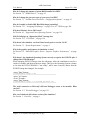
cpu.type K8
modifyregistry "System Bus Frequency" "100"
xtrnb.xtrfile <filename.xml>
xtrnb.debug 1
xtrnb.xtrlogfile <filename-playback.log>
SetLogFile <filename.log>
SetLogFileEnabled 1
96
Chapter 7: Device Configuration