1
AMD Confidential
User Manual
August 22nd, 2006
11 Debug Interface
The simualtor supports Linux and Windows® based debugging. It is recommended to use
the GDB interface to debug on Linux based hosts. The kernel debugger interface can be
used to debug on Windows based hosts.
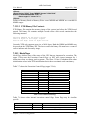
11.1 Kernel Debugger
This only applies to the Windows® version of the simulator and not to the Linux version.
The simulator can interact with the kernel debugger through:
•
•
EXDI interface (see Section 7.20, "EXDI Server Device", on page 93).
Serial port connection.
The serial ports can be configured so that any data read from or written to the simulated
serial ports is made available to the host machine. The serial ports can each be configured
to do this using either a named-pipe, or the actual serial port hardware.
The automation commands "GetCommPort" and "SetCommPort" are used for this
purpose, see Section A.7.10, “Serial”, on page 209.
Use the serial ports "SetCommPort" command to set the simulated serial port to use a
specific COM port. For example, to set the second serial port in the simulation to use
COM4 for its communication, you would type
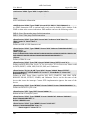
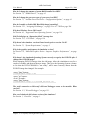
Serial:1.SetCommPort COM4 57600
The simulator will program the appropriate COM port (COM4 in the above example) to
57600 baud, 8 bits, no parity, 1 stop bit, no flow control.
All characters transmitted by the simulation through the serial port (second serial port in
the above example) will be sent out to the given COM port (COM4 in the above
example). In the same manner, all data received by the simulator through the given COM
port (COM4 in the above example) will appear as received data in the simulated COM
port.
To set the simulated serial port (COM1) to use a named-pipe you would type
Serial:1.SetCommPort pipe
The simulator will program the appropriate COM port (COM1 in the above example) to
use the named-pipe “\\.\pipe\SimNow.Com1” on the host to transfer data between host
and the simulated machine.
Chapter 11: Debug Interface
131