1
1PC
1PC
1PC
Connecting and Operating
Connect television :
(1). Put the HDMI plug into the TV's HDMI jack.
(2). Turn on TV, find the TV programme menu with the monitor
and select the corresponding HDMI of the "signal origin".
(refer to the TV instruction for the detailed information)
(3). Rotate it back 90 degrees clockwise or counterclockwise.
0
18
Quick Start Guide
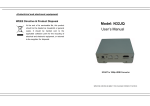
Packing Contents
(1). HDMI Dongle
(2). USB cable
(3). Quick Start Guide
Connect mouse :
(1). The mouse is used to control HDMI Dongle.It is the same usage as it is
used with a computer. An ordinary wired mouse is enough.
(2). Or a standard 2.4G wireless mouse is OK.
Note:After normally power on,click the mouse once on the left(not twice) to run
the programme or select on the menu.
3