1
Podium Data Analysis Software
User Manual
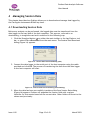
2. Locate the dump file you wish to import, highlight it and then click Open.
3. The data in the chosen dump file is converted into the correct format and the
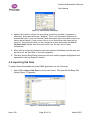
Save Session Data dialog (Figure 16) is displayed when this process is complete.
4. Update the fields in the Save Session Data Dialog as required and click Save to
store the imported data.
4.3 Changing the Beacon Position
When using a portable beacon it is not always possible to place the beacon at the same
location for each session at a particular track.
Podium provides a mechanism to move the position of the beacon on a session-by-session
basis so that all sessions for a track can have a common start point.
The beacon position for a session is changed in the following way:
1. Highlight the session (or any lap within the session) in the Lap Explorer window.
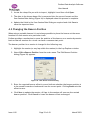
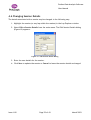
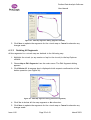
2. Select Edit ¨ Beacon Position from the main menu. The Edit Beacon Position
dialog (Figure 18) appears.
Figure 18 - Edit Beacon Position Dialog
3. Enter the required beacon offset in m and indicate whether the beacon position is
to be moved forwards or backwards from its current point. Clicking Reset sets the
offset to zero.
4. Click Save to update the session. All laps in the session will now use the revised
beacon position. Click Cancel to leave the beacon offset unchanged.
Issue 1.00
Page 21 of 43
March 2003