1
PCAN-USB (ISO) – User Manual
2
Installation
2.1
Software Setup / Connection to the PC
We recommend that you setup the driver before connecting the
PCAN-USB adapter to the PC for the first time.
Note: The following instructions are valid only for Windows
2000 and Windows XP. If you use the operating systems
Windows 98 SE or Windows ME, please contact the customer
support (address: see page 2).
Do the following to setup the driver and, if applicable, additional
software:
1.
Please make sure that you are logged in as user with
administrator privileges (not needed for normal use of the
PCAN-USB adapter later on).
2.
Insert the supplied CD-ROM into the PC. Usually a
navigation program appears a few moments later. If not,
start the file Intro.exe from the root directory of the CDROM.
3.
Navigate through the menus to the driver installation for the
PCAN-USB adapter (English > Drivers > PCAN-USB). Click
on Install now afterwards. The setup program for the driver
is executed.
4.
Follow the instructions of the setup program.
Tip: During this procedure you may additionally install the CAN
monitor PCAN-View for Windows (see also section 4.1).
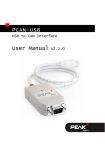
Do the following to connect the PCAN-USB adapter and
complete the initialization:
1.
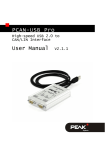
Connect the PCAN-USB adpater to an USB port at your PC.
The PC can remain powered on.
6