1
Flash Memory Upgrade
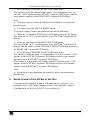
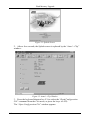
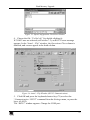
Figure 15: RS-232 Window
6. Click Connect.
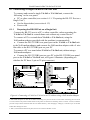
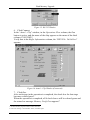
In the “Atmel – Flip” window, in the Operations Flow column, the Run
button is active, and the name of the chip appears as the name of the third
column: T89C51RD2.
Verify that in the Buffer Information column, the “HEX File: Va16xl.hex”
appears.
Figure 16: Atmel – Flip Window (Connected)
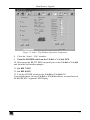
7. Click Run.
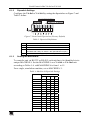
After each stage in the operation is completed, the check-box for that stage
becomes colored green1.
When the operation is completed, all 4 check-boxes will be colored green and
the status bar message: Memory Verify Pass appears2:
1 See also the blue progress indicator on the status bar
2 If an error message: “Not Finished” shows, click Run again
16
KRAMER: SIMPLE CREATIVE TECHNOLOGY