1
Contents
Contents
1
2
3
4
5
Introduction
Getting Started
Overview
Your VA-8xl and VA-16xl
Operating Your VA-8xl and VA-16xl
1
1
2
2
4
5.1
5.2
5.3
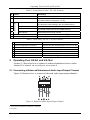
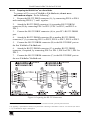
Connecting a Balanced/Unbalanced Audio Input/Output Channel
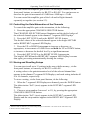
Controlling the Gain/Attenuation of the Channels
Storing and Recalling Setups
4
6
6
6
Serial Control of the VA-8xl or VA-16xl
7
6.1
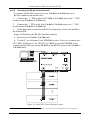
Controlling a Single VA-8xl or VA-16xl Unit
8
6.1.1
6.1.2
6.1.3
Preparing the RS-232 Port on a Single Unit
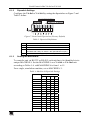
Dipswitch Settings
Setting the MACHINE #
8
9
9
6.2
Configuring up to a 240 Channel Balanced Stereo Audio Amplifier
10
6.2.1
7
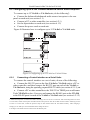
Connecting a Control Interface on a Set of Units
Flash Memory Upgrade
10
13
7.1
7.2
7.3
Downloading from the Internet
Connecting the PC to the RS-232 Port
Upgrading Firmware
13
13
13
8
9
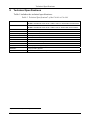
Technical Specifications
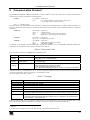
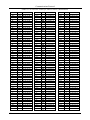
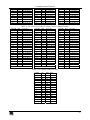
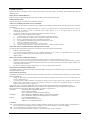
Communication Protocol
18
19
Figures
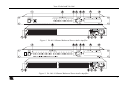
Figure 1: VA-8xl 8 Channel Balanced Stereo Audio Amplifier
Figure 2: VA-16xl 16 Channel Balanced Stereo Audio Amplifier
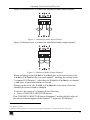
Figure 3: Balanced Audio Input/Output Channel
Figure 4: Unbalanced Audio Input Channel
Figure 5: Unbalanced Audio Output Channel
Figure 6: Connecting a VA-8xl or VA-16xl to a PC without using a Null-modem Adapter
Figure 7: Rear Panel Dipswitches (Factory Default)
Figure 8: Configuring up to 15 VA-8xl or VA-16xl Units
Figure 9: Preparing the RS-232 Connectors
Figure 10: An RS-485 Control Interface Setup
Figure 11: Splash Screen
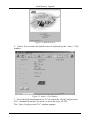
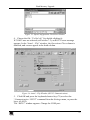
Figure 12: Atmel – Flip Window
Figure 13: Open Configuration File Select Window
Figure 14: Atmel – Flip Window (RS-232 Communication)
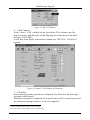
Figure 15: RS-232 Window
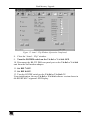
Figure 16: Atmel – Flip Window (Connected)
Figure 17: Atmel – Flip Window (Operation Completed)
3
3
4
5
5
8
9
10
11
12
14
14
15
15
16
16
17
i